How to Delete Personal Data in Salesforce for GDPR
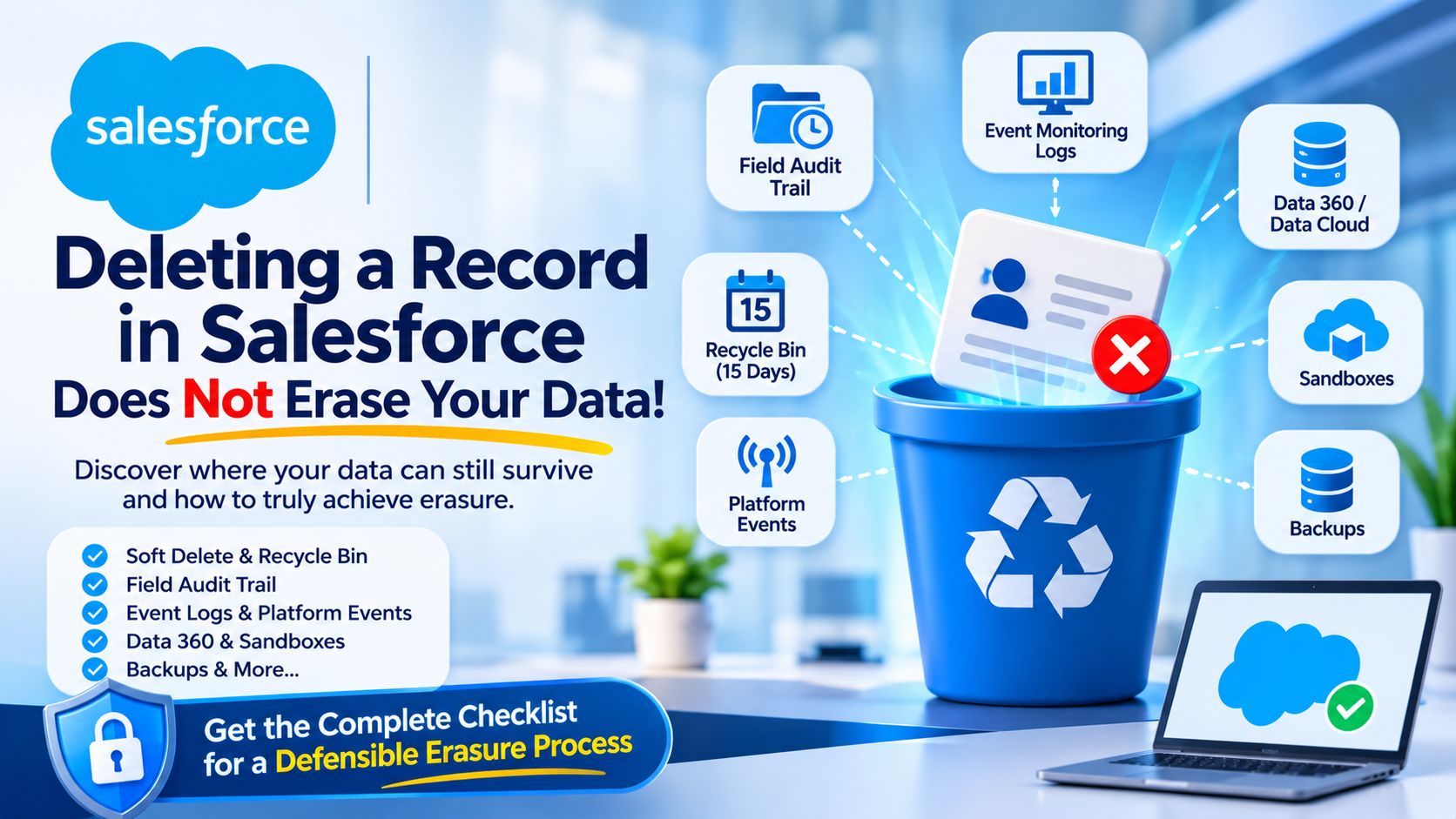
Deleting a record in Salesforce does not erase a person's data. A standard delete moves the record to the Recycle Bin for 15 days, cascades to child records and to field history tracking, and leaves copies behind in at least six other places: the Field Audit Trail archive, event monitoring log files, platform event payloads, Data 360 data lake objects, sandboxes and backups. A defensible Article 17 response has to account for all of them.
This post is the checklist we use when a data protection officer asks an admin to prove an erasure actually happened. It is organised around where the data survives, because that is the part nobody documents and the part a regulator will ask about.
What actually happens when you delete a Salesforce record?
Three distinct things, in sequence, and conflating them is where most erasure processes break.
Soft delete. The record is flagged rather than removed. Salesforce's large data volumes guide calls this "soft deletion" and says that "while the data is soft deleted, it still affects database performance because the data is still resident". The record sits in the Recycle Bin and can be restored.
Cascade. Children go with the parent. Salesforce's Apex DML documentation states that "if you delete a parent object, you delete its children automatically, as long as each child record can be deleted", and gives the worked example of a Case taking its CaseComment, CaseHistory and CaseSolution records with it. The qualifier at the end of that sentence matters: if any child cannot be deleted, the parent delete fails.
Hard delete. Only this one removes the row. Either the 15 days expire, or you empty the Recycle Bin, or you use Bulk API with hardDelete, which Salesforce documents as meaning "the deleted records aren't stored in the Recycle Bin" and are "immediately eligible for deletion". That permission is "disabled by default and must be enabled by an administrator".
The Recycle Bin retention figure, and the contradiction worth knowing about
Both of Salesforce's current primary pages agree on 15 days. They disagree on whether capacity can cut that short.
The developer guide says "there isn't a limit on the number of deleted items that the Recycle Bin can hold". The help article Privacy Policy Tips and Best Practices says "the Recycle Bin has a limited capacity based on your org's storage allocation" and that "if this capacity is exceeded, older items can be permanently deleted before the 15-day window expires".
Both pages were read directly on 2 November 2026. We are not going to pretend one of them is authoritative. The operational consequence is the useful part: you cannot rely on a record still being in the Recycle Bin on day 14, and you cannot rely on it being gone either. If your erasure process depends on either assumption, replace the assumption with an explicit empty or a hard delete.
One more detail that catches people writing verification scripts. The SOAP emptyRecycleBin() call accepts a maximum of 200 records per call, and after it runs the records remain visible to queryAll() for a period that is "typically 24 hours, but can be shorter or longer". So a verification query run immediately after the purge can still return the record you just destroyed.
Where personal data survives a Salesforce delete
This is the table to put in front of your DPO. Everything in it comes from a Salesforce primary page.
| Where the data survives | What the documentation says | How you actually clear it |
|---|---|---|
Field Audit Trail (FieldHistoryArchive) | "Salesforce doesn't delete the history copied into the FieldHistoryArchive big object." Retention is "Until deleted", access is "API only" | Privacy Center's "Delete records from Field Audit Trail" setting, or an Apex deleteImmediate() job |
| Event monitoring log files | "You can't delete individual rows from event logs." Default retention 1 year | Delete the whole log file containing the user's activity |
| Platform event messages | "Unlike custom or standard objects, you can't update or delete event records." Stored 72 hours high-volume, 24 hours standard-volume | Nothing. Wait for expiry |
| Data 360 / Data Cloud | "Data 360 doesn't support cascading deletes." Deleting a profile record leaves its engagement records | "Delete these records manually from each table" |
| Standard field history tracking | Retention "18-24 months", up to 20 fields per object | Cascades automatically on a production delete |
| Sandboxes | "The sandbox and its corresponding production org act as independent orgs" | Refresh, or run a deletion job in the sandbox too |
| Salesforce Backup | "By default, we include 99 years of retention" | The published mechanism is anonymisation, not deletion |
Sources, all verified 2 November 2026: the Field Audit Trail guide, the event monitoring REST guide, the platform events guide, Delete Ingested Records in Data 360 and the Salesforce Backup page.
Three of those rows deserve more than a table cell.
The Field Audit Trail archive is the one that gets organisations in trouble
The sentence is unambiguous and it is on Salesforce's own documentation: "If you delete a record in your production data, the delete cascades to the related history tracking records", but "Salesforce doesn't delete the history copied into the FieldHistoryArchive big object."
Read that twice if you have Field Audit Trail. Standard history goes. Archived history stays, with a documented retention period of "Until deleted" and API-only access, so it will not show up in any report your DPO runs to check.
The archive also holds up to 200 fields per object on the current documentation, against 20 for standard tracking, so it is usually the richer copy. And encryption does not retroactively cover it: "if you turn on Platform Encryption, previously archived data remains unencrypted", with the guide spelling out that already-archived phone number history "remains stored without encryption".
If you are wondering whether this is a theoretical problem, consider what Field Audit Trail is typically tracking. Contact details. Addresses. Consent flags. Salary bands on an employee object. The archive is frequently where the most sensitive version history lives.
The Salesforce Backup default is 99 years, and the published remedy is anonymisation
Salesforce's own product page says "by default, we include 99 years of retention" and that you can "streamline Data Subject Requests such as Right To Be Forgotten with granular anonymization to ensure Salesforce backups are compliant" with GDPR, CCPA, HIPAA and others.
Note what that sentence offers and what it does not. It offers anonymisation of backup content. It does not say you can delete one person's records from a backup set, and the word delete appears on that page only in the context of recovering deleted data.
That is defensible, and the regulator has said so. The EDPB's coordinated enforcement report on the right to erasure, adopted 10 February 2026, notes that "it might not always be advisable to modify or delete information from back-ups" and that controllers who do not alter backups should "have appropriate procedures to keep track of erasure requests" so that erasure is reapplied if a system is restored.
What the same report does not accept is anonymisation as a general substitute. In the section on that practice it records that some controllers "only apply basic pseudonymisation or partial masking", which "would not fulfil the requirements of the GDPR regarding deletion". Its recommendations include, in terms, to "verify that erasure has been carried out".
So the honest position for a Salesforce estate is this. Backups are a legitimate exception if, and only if, you have a documented re-application procedure for restores and your anonymisation is genuine anonymisation rather than masking a surname and leaving the email address.
Platform events cannot be erased at all
The platform events guide states plainly that "unlike custom or standard objects, you can't update or delete event records." High-volume platform event messages are stored for 72 hours, legacy standard-volume messages for 24 hours.
There is no tool for this, and that is the answer. Personal data in an event payload expires on its own within three days and cannot be surgically removed before then. If that is unacceptable for your risk appetite, the fix is architectural rather than procedural: stop putting identifiers in event payloads. We have had this conversation with clients who were publishing full contact records onto the event bus for convenience, and the integration redesign was cheaper than the policy exception.
What Privacy Center does, and what it costs
Privacy Center is Salesforce's paid product for this problem, and it is the only documented way to reach the Field Audit Trail archive from a privacy policy rather than from custom Apex.
The Privacy Policy Tips article names three deletion settings available at both policy and object level:
- "Delete records from related history object"
- "Delete records from Field Audit Trail"
- "Permanently delete records"
That middle setting is the whole reason to buy it. Without Privacy Center, an org that deletes through Data Loader, Apex or Bulk API leaves the archive intact and has no policy-driven way to clear it.
The price is published as "15% of net spend" on the platform add-ons page and on the cloud data security pricing page, both verified 2 November 2026. The Privacy Center product page gives the same percentage with different wording: "the cost of Privacy Center is 15% of Annual Order Value (AOV)." Two Salesforce phrasings, one number, and only one of them names AOV. Ask your account executive which definition the order form uses, because on a USD 400,000 annual spend the difference between definitions is worth more than most people's compliance tooling budget.
The Privacy Center limitations we have actually hit
Jobs do not run in parallel. The documentation says "because multiple privacy jobs can't run concurrently, sometimes jobs begin later than their scheduled time", and recommends staggering schedules. If your SLA for an erasure request is 30 days and your retention policies run nightly over large objects, the queue is a real risk.
Parent and child dependencies cause failures. The same article warns that "field restrictions or dependencies sometimes exist between parent and child objects that you add to a policy" and that "these restrictions can cause problems with deleting data on the parent object". Its own example is the one everybody hits: "Case records prevent the associated Contact records from being deleted." The documented workaround is to remove the child object from the policy and reconfigure it as a top-level object positioned before the parent.
No published supported-object list. We could not find a page that publishes which objects Privacy Center policies can act on. The product page says "various objects and fields". Test against your own custom objects rather than assuming coverage.
Salesforce tells you to test in a sandbox, and it is right. The instruction is explicit: "to avoid unintentionally modifying or deleting data in your production org, create and test privacy policies in a sandbox." Privacy Center can export policies directly between sandbox and production, so there is no excuse for building a destructive policy in production first.
Privacy Center or a custom build: what we recommend and why
Clients ask whether they can do this with Apex and scheduled jobs instead of paying a percentage of spend. The answer depends on one thing.
| Approach | What it costs | Where it wins | Where it loses |
|---|---|---|---|
| Privacy Center | 15% of net spend or AOV, published | Reaches Field Audit Trail from a policy, keeps a portability log, no code to maintain | No published object coverage list, jobs are serialised, price scales with your whole Salesforce spend rather than with privacy volume |
| Custom Apex and Bulk API | Build and maintenance time, our estimate 4–8 weeks initial | Exact control, cheap at low request volume, auditable in your own repo | You own deleteImmediate() against big objects, every new object is a code change, and the evidence trail is whatever you built |
For most orgs under roughly USD 250,000 of annual Salesforce spend with fewer than 20 erasure requests a year, we have usually recommended the custom route when we scope platform work, because 15% of spend buys more tooling than the problem needs. Above that, or where Field Audit Trail is in play and the DPO wants a product rather than a script to point at in an audit, Privacy Center wins on evidence quality rather than on capability.
The case where the custom route loses badly is big objects. Deleting from FieldHistoryArchive means deleteImmediate(), which has a documented batch limit of 50,000 records at a time and requires that "you must specify all fields in the index", with no partial indexes, no non-indexed fields and no wildcards, listed in index order without gaps. There is also a trap in the API contract: "repeating a successful deleteByExample() operation produces a success result, even if the rows were already deleted." A success response is not evidence that anything was deleted on this run, which is exactly the kind of detail that makes a hand-rolled compliance script look fine and prove nothing.
How to run a defensible erasure in Salesforce, step by step
- Find every record for the person, not just the Contact. The same individual can exist as a Lead, a Contact, a Person Account, a Case contact, a CampaignMember, an EmailMessage participant and a User. Salesforce's consent data model article confirms the breadth: "any record that relates to an individual can have related consent considered within this model", naming leads, users, person accounts and contacts.
- Decide delete or de-identify, per object, in writing. Financial and contractual records usually have a retention obligation that conflicts with erasure. Deciding per object before you run anything is what turns an awkward conversation into a documented position.
- Check what blocks the parent. Run the delete in a sandbox first and record which child objects fail. Reorder them as top-level objects ahead of the parent, as the Privacy Center documentation describes.
- Delete the records, then hard delete. A standard delete alone leaves 15 days of recoverable data and an unresolved status. Either empty the Recycle Bin for those IDs or use Bulk API
hardDelete. - Clear the Field Audit Trail archive separately. Privacy Center's "Delete records from Field Audit Trail" setting, or an indexed
deleteImmediate()job. Nothing in step 4 touches this. - Delete the relevant event monitoring log files. Remember the constraint: whole files, not rows. If one file contains other users' activity, you have a trade-off to document rather than a clean action.
- Handle Data 360 table by table. No cascade exists. Each data lake object and each related engagement table needs its own delete, and the Ingest API's delete operation handles up to 200 records per call.
- Record the backup position, do not pretend to solve it. Document your retention period, your re-application procedure for restores, and what your anonymisation actually replaces. The EDPB expects a procedure, not a miracle.
- Verify, with a
queryAll()after the 24-hour settling period. Immediately after a purge the record can still be returned, so a same-minute verification query proves nothing. - Keep the evidence. The CNIL fine below was not about data surviving in a system. It was about requests that were never answered.
What regulators have actually fined people for
Worth keeping in proportion. The enforcement risk in erasure is mostly process, not residue.
In July 2026 the French data protection authority fined the IT services company EXTIA EUR 300,000 under Articles 12 and 17. The EDPB's summary records that of 265 erasure requests received in 2024, more than three quarters "had not been dealt with or had not been dealt with satisfactorily", 12 were never processed at all, and 166 people were never told what action had been taken.
Nothing in that decision concerns a CRM archive. It concerns an organisation that received requests and did not answer them. So the first thing to fix is almost never the Field Audit Trail archive. It is whether someone owns the inbox, answers within the deadline and keeps a record of having done so. The platform residue in this post is the second problem, and it is the one that turns a good-faith answer into an inaccurate one.
Frequently Asked Questions
Does deleting a Salesforce record delete the person's data?
No. A standard delete soft-deletes the record for 15 days and cascades to child records and standard field history, but it does not touch the Field Audit Trail archive, event monitoring log files, platform event payloads, Data 360 data lake objects, sandboxes or backups. Salesforce's own documentation states that the delete "doesn't delete the history copied into the FieldHistoryArchive big object".
How long does Salesforce keep deleted records?
Deleted records sit in the Recycle Bin for 15 days, after which they are scheduled for hard deletion. Salesforce does not guarantee the exact moment of permanent removal. One current help page also says the Recycle Bin has capacity limited by your storage allocation and that older items can be purged before the 15 days expire, which the developer guide contradicts.
Can you delete one person's data from a Salesforce backup?
Salesforce's backup product page publishes anonymisation rather than deletion as the mechanism for right-to-be-forgotten requests, and the default retention is 99 years. The EDPB accepts that modifying backups may be inadvisable, provided the controller tracks erasure requests and reapplies them after a restore. Document that procedure; do not claim the backup was purged.
Do you need Privacy Center for GDPR compliance in Salesforce?
Not strictly, but it is the only documented way to clear the Field Audit Trail archive through a privacy policy rather than custom Apex. At 15% of net spend it is expensive relative to a scripted approach at low request volumes. It wins where the evidence trail matters to an auditor, or where Field Audit Trail is enabled and nobody wants to maintain big object delete code.
What happens to Chatter posts and email bodies when you delete a contact?
Salesforce's cascade documentation covers children of the deleted record, but we could not find a primary page stating the deletion behaviour for ContentDocument, EmailMessage or FeedItem specifically. Test each one in a sandbox against your own configuration rather than assuming, and treat any claim about them, including ours, as needing verification in your org.
Can you delete rows from Salesforce event monitoring logs?
No. The documentation states "you can't delete individual rows from event logs" and that "instead, you must delete the entire log file that contains the user activity". Default retention is one year. Because one file holds many users' activity, erasing one person's events means deleting other people's audit data too, which is a trade-off to document rather than a clean action.
The gap most Salesforce estates have is not the deletion itself, it is being able to prove what the deletion reached: the archive, the logs, the data lake and the backup position all need a written answer before a DPO signs anything. We run that as a one-week audit against a live org and hand back a mapped erasure procedure your DPO can sign, including which residue you are accepting and why. If your next data subject request would be answered by an admin guessing, get in touch.
Have Questions or Need Assistance?
Our team of Salesforce experts is ready to help you implement the solutions discussed in this article.
Contact Us Today