How to Design a Salesforce Sharing Model
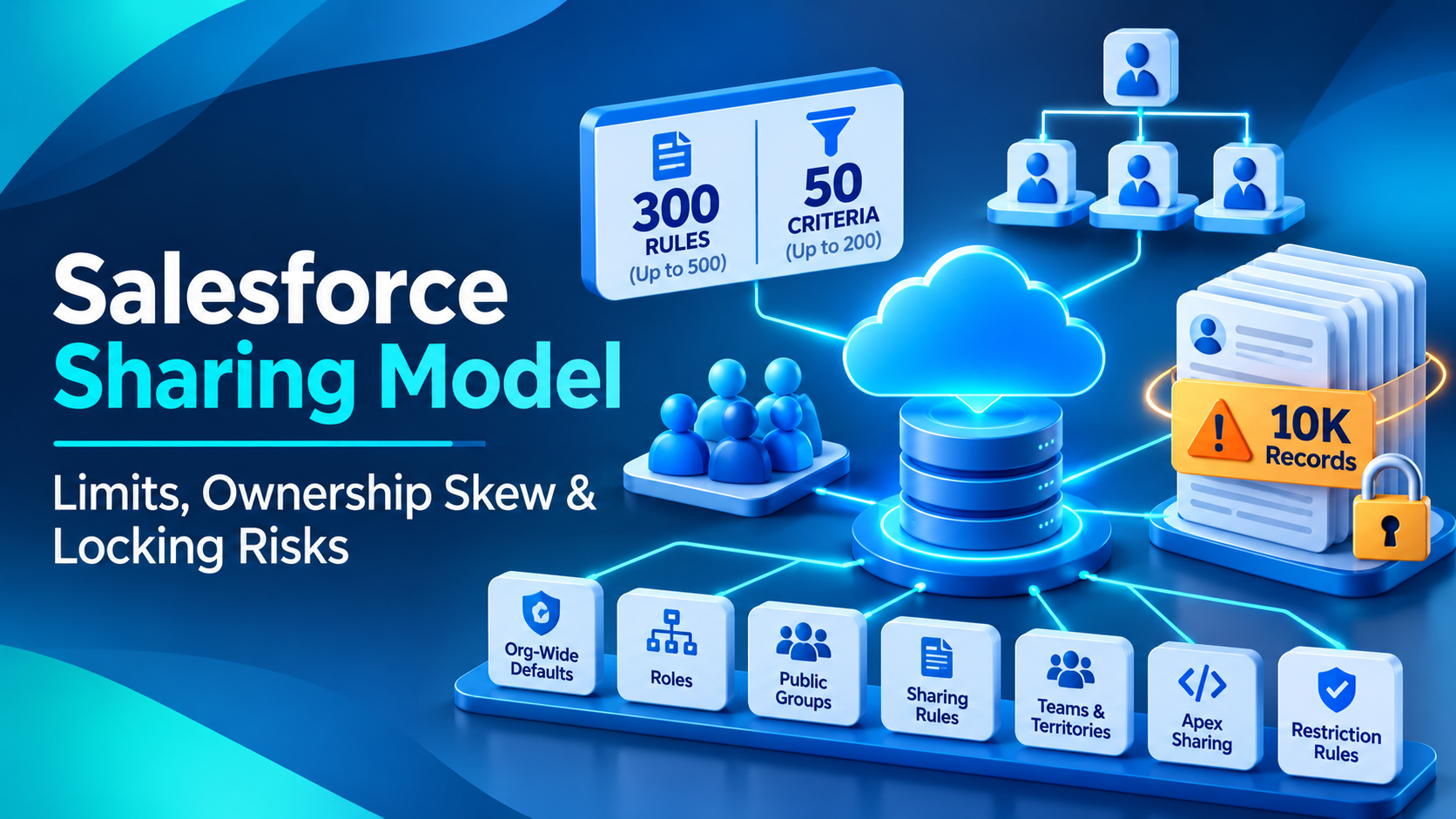
A Salesforce sharing model starts by locking records to the most restrictive org-wide default and then adds access back, through the role hierarchy, sharing rules, teams, manual shares and Apex. Two numbers constrain almost every design: 300 sharing rules per object, of which 50 can be criteria-based, and 10,000 records owned by one user before sharing recalculation starts to hurt. Design against those two first and most of the rest follows.
The reason sharing models go wrong is not that admins pick the wrong mechanism. It is that the model is built to answer today's visibility question and nobody checks it against the ceilings until an integration starts failing with lock errors two years later.
What a Salesforce sharing model is, and the one sequence that matters
Record-level security in Salesforce is a set of tools that each add access on top of a baseline you set. Salesforce's platform sharing architecture guide presents them in order: org-wide defaults, role hierarchy, public groups, owner-based sharing rules, criteria-based sharing rules, guest user sharing rules, manual sharing, teams, territory hierarchy, Apex managed sharing, restriction rules and implicit sharing.
The sequence is the design method. Set the org-wide default to the most restrictive level the business can tolerate, then open it up deliberately. Salesforce's own wording is "You use organization-wide sharing settings to lock your data to the most restrictive level" and then "Use the other record-level security and sharing tools to selectively give access to other users."
Worth being precise about something, because it gets stated as fact in a lot of places. Salesforce does not publish an order of precedence among these mechanisms. Its access grants documentation names four kinds of grant, explicit, group membership, inherited and implicit, and does not rank them. We could not find a primary Salesforce page stating that the most permissive access wins. Think of it mechanically instead: the org-wide default sets the floor, every tool except one adds access on top, and restriction rules are the only thing that subtracts. That framing is accurate and it does not require a precedence rule that Salesforce has not written down.
Which sharing numbers are enforced, and which are only advice
This distinction is the whole game, and getting it wrong in either direction is costly. Treating a best practice as a hard cap means you build an unnecessarily complicated model. Treating an enforced limit as a guideline means you build straight into a wall.
Everything in this table was read directly from the cited Salesforce page on 16 November 2026, with the page's own framing preserved in the last column.
| Constraint | Figure | Salesforce's own framing | Enforced or advisory |
|---|---|---|---|
| Total sharing rules per object | 300 | "The limit of total sharing rules per object is 300." | Enforced, raisable to 500 by Support |
| Criteria-based and guest user sharing rules per object | 50 | "The limit of criteria-based and guest user sharing rules per object is 50." | Enforced, raisable to 200 by Support |
| Roles per org, default | 500 | "By default, a Salesforce org can have up to 500 Roles." | Enforced, raisable by Support |
| Roles per org, ceiling | 10,000 | "The current maximum is 10,000 Roles." | Enforced ceiling |
| Roles per org, newer orgs | 5,000 | "In Salesforce orgs created in Spring '21 or later, you can create up to 5,000 roles." | Enforced |
| Role hierarchy depth | 10 levels | "As a best practice, keep the role hierarchy to no more than 10 levels of branches in the hierarchy." | Advisory |
| Public groups per org | 100,000 | "As a best practice, keep the total number of public groups for an organization to 100,000." | Advisory |
| Group nesting depth | 5 levels | "Groups can be nested (Group A nested into Group B), but don't nest more than five levels." | Instruction, no cap stated |
| Records owned by one user | 10,000 | "Avoid having any user own more than 10,000 records." | Instruction, nothing blocks you |
| Child records per parent | 10,000 | "Distribute child records so that no parent has more than 10,000 child records." | Instruction, nothing blocks you |
| Active restriction rules per object | 2 or 5 | "up to two active restriction rules per object in Enterprise and Developer Editions" and "up to five active restriction rules per object in Performance and Unlimited Editions" | Enforced |
| Active scoping rules per object | 2 or 5 | "Create up to two active scoping rules per object in Developer editions." and "Create up to five active scoping rules per object in Performance and Unlimited editions." | Enforced |
| Sharing sets per profile | 1 | "You can have one sharing set per profile only." | Enforced |
Two notes on figures you will see elsewhere. There is no 1,000 sharing rules per object limit; that figure is the permission set maximum on the same edition allocations page and has drifted across into sharing write-ups. And the "10 levels" role hierarchy depth that gets quoted as a hard cap is explicitly a best practice in Salesforce's own words. You can build deeper. The roles help article explains the consequence without giving a number: "Having too many roles, especially deeply nested ones, may cause performance issues."
We also looked for a documented limit on Apex sharing reasons per object, because a figure of 10 circulates widely. We could not find it on either Apex sharing page. Treat it as folklore until someone produces the primary.
Why 300 sharing rules per object runs out faster than teams expect
The 300 is per object, not per org, and criteria-based rules are capped at 50 inside it. Salesforce's help article on raising the limit confirms the headroom: "The default limit is 300 per object.", "Salesforce Support can increase it to a maximum of 500 per object.", and for criteria-based rules, "The default limit is 50 per object." raisable "to a maximum of 200 per object." It also says plainly: "Only Salesforce Support can increase Sharing Rules limits beyond the default."
Fifty criteria-based rules sounds generous until an org starts modelling visibility by a picklist. A single-field criteria rule per region, per business unit, per product line, per record type gets you to forty rules on Opportunity without anyone making a bad decision. Then a reorganisation adds eight regions and you are negotiating with Support rather than shipping.
There is a detail on that 50 that almost nobody publishes, and it has bitten clients: guest user sharing rules consume the same allowance. Salesforce's own sentence is "The limit of criteria-based and guest user sharing rules per object is 50." An Experience Cloud site with public pages can therefore quietly eat into the headroom you were saving for internal visibility.
The structural fix is the same one that applies to permissions, which we have written about separately on this blog: stop writing rules per value and start writing rules to public groups, then manage the membership. One criteria-based rule granting to a group beats twelve rules granting to twelve roles. The cost is that group membership is its own maintenance surface, and Salesforce is blunt about what membership does not do: "Group membership alone doesn't provide data access."
Why ownership skew at 10,000 records is the failure you will actually hit
Of all the numbers above, this is the one that produces real incidents, and Salesforce states it three separate times. The Designing Record Access for Enterprise Scale material defines it as a single user owning more than 10,000 records of an object. The large data volumes best practice guide turns it into an instruction under the goal of avoiding sharing computations: "Avoid having any user own more than 10,000 records." The same guide handles the parent side under a different goal: "Distribute child records so that no parent has more than 10,000 child records."
Nothing in the platform stops you. There is no error at 10,001. That is exactly why it accumulates: an integration user owns every record it creates, a departed sales rep's book never gets reassigned, a data load lands everything on one admin account, and for a year nothing happens.
The mechanism is what makes it concrete, and Salesforce's own worked example is better than any paraphrase. Imagine 300,000 contacts all hanging off one account. When access to any one of them has to be recalculated, the platform must scan all of the other 299,999. The architect guide gives the threshold as a ratio: "The ratio where we start seeing performance degradation is 1:10,000."
What you see as a symptom is rarely called skew. It is a nightly integration that started timing out, a role change that takes hours instead of minutes, or a batch job failing on lock contention. Which brings us to the error messages.
What locking errors actually look like, and why they appear during reorganisations
Salesforce's group membership locking documentation is the page to read before any role hierarchy change. The sharing system locks the tables holding group membership information during updates. Normally that is invisible: "Typically, these locks are held only very briefly, so most customers never see a lock conflict error."
When it is not invisible, the two errors you get are "could not acquire lock" and "Group membership operation already in progress". If you have seen either in a log, this page is your answer.
Two things worth knowing. Granular locking is already on: "By default, granular locking is enabled", so this is not a feature to go and switch on, which is advice we still see given. And one operation is much worse than the others: "certain operations, such as reparenting (moving roles within the role hierarchy), still block almost all other group updates". Reparenting a role during business hours while integrations are running is the single most reliable way to produce lock errors in a large org.
While we are correcting things, parallel sharing rule recalculation used to be documented as an opt-in feature you asked Support to enable. It has been removed from the current enterprise-scale guide entirely. The honest statement is that Salesforce no longer documents it as something you turn on, which most likely means it is now default behaviour. Do not file a case asking for it.
When the role hierarchy is the wrong tool, and what loses to what
Three mechanisms can deliver the same visibility outcome, and the choice is usually made by habit rather than by arithmetic.
The role hierarchy is the default answer and it is the right one when visibility genuinely follows reporting lines. Its cost is that it is one tree, every record rolls up it, and for standard objects you cannot switch that off. Salesforce is explicit: "For custom objects only, you can configure the Grant Access Using Hierarchies setting." Uncheck it there and "users higher in the role hierarchy are prevented from inheriting access." For Account, Opportunity, Case and the rest, upward inheritance is not negotiable. If your CFO must not see a particular set of Opportunities, the role hierarchy cannot be the mechanism that hides them.
Territory management wins where visibility follows geography or account assignment rather than management structure, and it wins on sheer volume of sharing records. Salesforce's territory management decision guide gives the arithmetic: if territories have five members on average, territory management means maintaining 80 percent fewer sharing records. Two caveats on that figure, both ours: the guide is dated Spring '17 and describes the original Territory Management rather than Enterprise Territory Management, and it notes that territories natively support assignment for accounts and opportunities only.
Account and opportunity teams lose for anything at scale, and the reason is in the same guide: teams have no automated assignment engine or rule structure. The architect guide adds the structural limit, "There is only one team per record (Account, Opportunity, or Case)." Teams are excellent for deliberate, human, record-by-record collaboration and poor as a visibility architecture, because every grant is a manual act and nobody performs a manual act consistently for three years.
The comparison we actually run with clients is narrower than the three-way. It is whether to keep org-wide defaults Private and add access back with rules, or to go Public Read Only on a given object and restrict the few places that matter. Private plus rules is the orthodox answer and it is what Salesforce's documentation steers you towards. It loses when the number of rules needed approaches the ceiling, or when every rule has to be recalculated on every reorganisation, because the recalculation cost is real and the ceiling is hard. Public Read Only plus targeted restriction loses when the data is genuinely sensitive, because the mechanisms that subtract access are narrow, as the next section shows. Neither answer is universal. Count the rules you would need before you choose.
What restriction rules can and cannot do
Restriction rules are the one mechanism that removes access, and they are much narrower than most write-ups suggest. From the restriction rules considerations page, read directly: "Restriction rules are available for custom objects, external objects, contracts, events, quotes, tasks, time sheets, and time sheet entries."
That list is the answer to most questions about them. No Account, no Opportunity, no Case, no Lead, no Contact. If your requirement is to hide some Opportunities from some users, restriction rules are not the tool.
They are available "in Lightning Experience in Enterprise, Performance, Unlimited, and Developer Editions", capped at two active rules per object in Enterprise and Developer and five in Performance and Unlimited.
And here is the failure mode that catches teams who reach for them as a security control: "Users with the View All Records or View All Data permissions can view all records regardless of restriction rules." Modify All behaves the same way, with edit and delete added. An org that uses a restriction rule to hide records from a power user who holds View All has hidden nothing. Check the permission set before you design the rule.
Scoping rules are a separate feature and the edition gate is different, which is worth getting right because the two are routinely confused. Restriction rules need Enterprise and above. Scoping rules are "Available in: Lightning Experience in Performance and Unlimited Editions". Enterprise is absent from that line. We have also seen scoping rules described as changing only the default view and never record access; the considerations page does not say that, so we are not repeating it.
How to roll out a large sharing change without locking the org
This is the sequence we use for a reorganisation, a territory realignment or any change that touches more than a handful of rules.
- Refresh a full copy sandbox and do the whole thing there first. Salesforce's enterprise-scale guidance is specific about freshness: use a sandbox refreshed within the last 30 days that reflects all major changes.
- Find your skew before you start. Query record counts grouped by OwnerId on every object you are touching, and the same for child counts by parent on your largest relationships. Anything over 10,000 gets fixed before the realignment, not during it.
- Reassign ownership away from integration users and departed users. This is the single highest-value step and it is almost always the one that gets deferred.
- Enable deferred sharing calculation if you do not already have it. It is not on by default, and it needs a permission, so this is a configuration step with a lead time rather than a checkbox you find on the night.
- Suspend sharing calculation, make all your configuration changes in one window, then resume and run the full recalculation explicitly. Resuming is not the same as recalculating, and skipping the recalculation leaves inconsistent record access behind.
- Do the reparenting separately, outside business hours, with integrations paused. Reparenting a role blocks almost all other group updates, so anything else running at the same time will fail with a lock error.
- Let the full recalculation run overnight or over a weekend on a large org, and do not start it close to a Salesforce release window. A long-running recalculation job can be terminated if it is still running when a scheduled release lands.
- Verify after, with a handful of named test users against named records. Sharing is one of the few areas where a clean deployment log tells you nothing about whether the outcome is right.
Step 4 is the one that surprises people, so to be clear about it: the deferral feature is not enabled by default in a new org. Find that out a week before the realignment, not the evening of.
What Winter '27 changed for Apex sharing
If you write Apex managed sharing, one change this release is worth knowing about. Salesforce's developer blog post Protect Apex Shares: Custom Row Causes on Standard Objects, dated 20 October 2026, states: "For over a decade, standard objects didn't support custom row causes." and "You can now define one on a standard object the same way you do on a custom object."
The problem it solves is the one every Apex sharing implementation has worked around. Because Apex-created shares on standard objects had to use the Manual row cause, and because, in the post's words, "Salesforce deletes Manual shares when a record's owner changes, you had to write workarounds." A custom row cause keeps your programmatic shares distinct from users' own manual shares and survives an ownership change.
Some care about how we state the status, because dated release claims are the easiest thing to get wrong in this industry. The article says "Rolling out now; all orgs will have it by the end of October." It does not use the words generally available, GA or beta anywhere. We did not find a corresponding Winter '27 release note, and the Apex Developer Guide still says sharing reasons are available for custom objects only, so the documentation lags the announcement. No full list of supported standard objects is published either; Case and Account appear as the examples. Treat it as announced and rolling out on Salesforce's own developer blog, confirm it in your own org before you build on it, and do not promise a client a date.
The same article references a separate "Keep Manual Shares setting", and notes that a custom row cause "doesn't change how users' manual shares behave". So the two features are distinct. We have not been able to verify the manual-share retention setting in release notes or product documentation, only in Salesforce blog posts, so we are naming it and nothing more.
One more thing that gets miscategorised in this area. FieldRestrictionRule is a genuine field-visibility mechanism, but it is not new and it is not general purpose. Its Tooling API reference says it was "Introduced in API version 52.0", which is Summer '21, and that "Only the Employee and User objects are supported." Any write-up presenting it as a broad field-level sharing tool is wrong on both counts.
The honest limitations of all of this
Three things we could not establish, stated plainly because the gaps affect what you should trust.
No numeric limit on queues per org exists on any Salesforce page we could reach. If you see one quoted, ask for the source. No documented error message or symptom exists for "too many sharing rules" beyond hitting the 300 ceiling and the general statements about recalculation time, so claims about specific degradation at specific rule counts are inference. And current Enterprise Territory Management limits are not published anywhere we found; the only reachable comparison guide describes the superseded Territory Management 1.0 and is nearly ten years old.
Where Salesforce's own pages disagree, we have said so rather than picking a side. The clearest live case here is role count: the help article gives 500 by default with a 10,000 ceiling, while the architect guide says orgs created in Spring '21 or later can create 5,000. Both are current. Check your own org's limit in Setup rather than trusting either number.
Frequently Asked Questions
How many sharing rules can one Salesforce object have?
300 total per object by default, of which no more than 50 can be criteria-based. Salesforce Support can raise those to 500 and 200 respectively, and only Support can. The 50 criteria-based allowance also covers guest user sharing rules, so a public Experience Cloud site consumes part of the same headroom you were planning to use internally.
What is ownership skew in Salesforce and when does it become a problem?
Ownership skew is one user owning more than 10,000 records of a single object. Salesforce states that figure in three separate places and instructs you to avoid exceeding it, but nothing in the platform enforces it. The symptom is not an error at 10,001; it is slow sharing recalculation and lock contention later, usually surfacing as integration timeouts or a role change that takes hours.
Can I stop a manager seeing their team's records in Salesforce?
For custom objects, yes: uncheck Grant Access Using Hierarchies on that object and users above the owner stop inheriting access. For standard objects such as Account, Opportunity and Case you cannot, because that setting is configurable for custom objects only. Restriction rules do not help either, since they are unavailable on those objects.
Do restriction rules work on Accounts and Opportunities?
No. Restriction rules are available for custom objects, external objects, contracts, events, quotes, tasks, time sheets and time sheet entries only. They also do not apply to users holding View All Records, View All Data, Modify All Records or Modify All Data, who continue to see everything regardless of the rule.
Is the 10 level role hierarchy limit a hard limit?
No. Salesforce's architect guidance phrases it as "As a best practice, keep the role hierarchy to no more than 10 levels of branches in the hierarchy." You can build deeper, and many large orgs have. The consequence is performance rather than rejection: Salesforce notes that too many roles, especially deeply nested ones, may cause performance issues.
Should I turn on deferred sharing calculation before a realignment?
Yes, and find out early that it is not enabled by default. Deferral lets you suspend sharing calculation, make all your configuration changes in one window, then resume. Resuming is not sufficient on its own: you must trigger the full recalculation explicitly, or you leave inconsistent record access behind, and that recalculation should run during a quiet period.
A sharing model that was designed for the org chart of three years ago, with integration users owning six figures of records and the criteria-based rule count sitting at 47 of 50, is the situation this post describes, and it does not announce itself until a realignment or an integration fails. If that sounds like your org, the first useful hour is a query of record counts by owner and child counts by parent across your largest objects. We do that as the opening step of a Salesforce architecture review, and the fixes it surfaces are usually reassignment rather than redesign.
Have Questions or Need Assistance?
Our team of Salesforce experts is ready to help you implement the solutions discussed in this article.
Contact Us Today