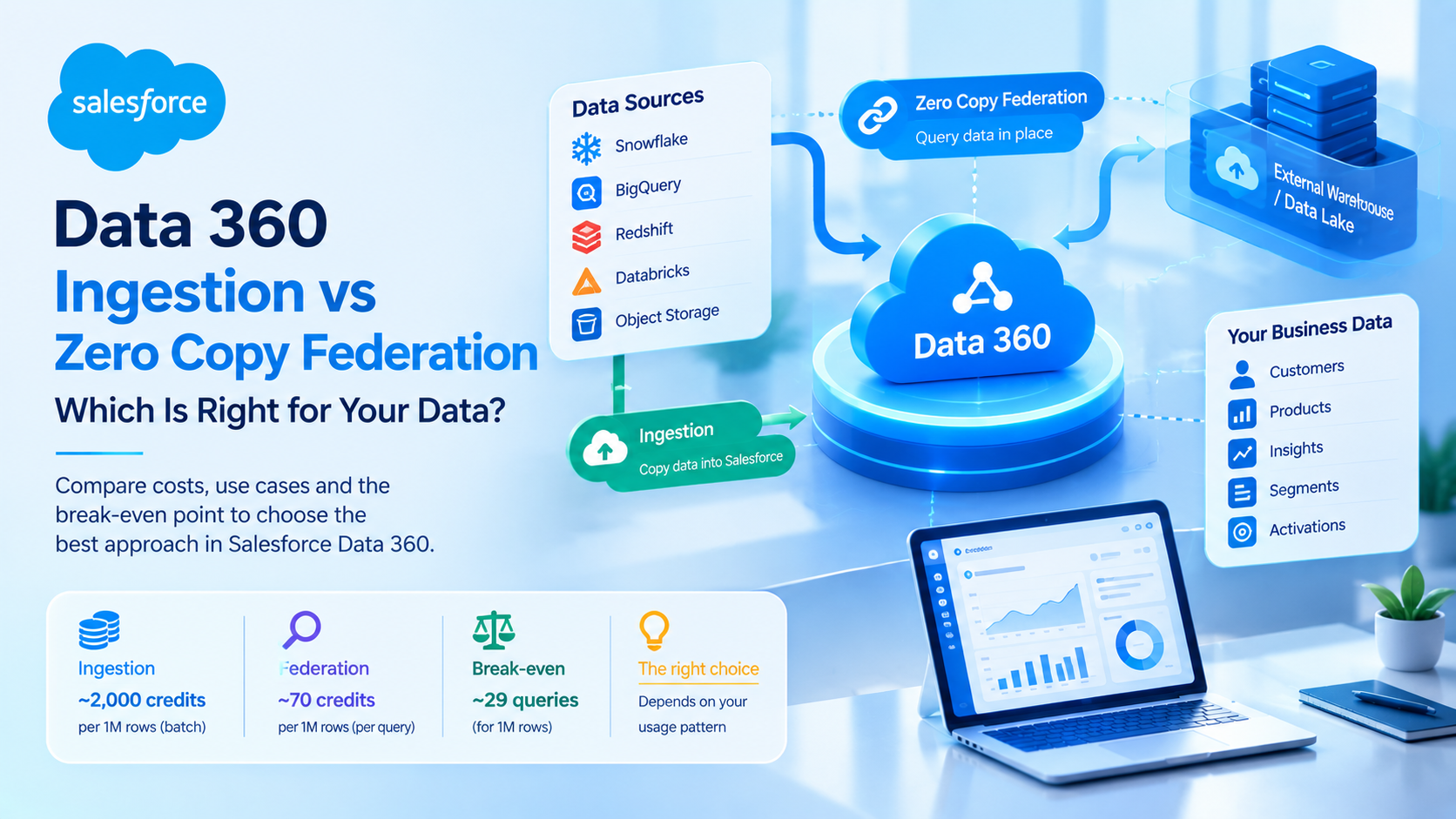
Salesforce Data 360: Zero Copy vs Ingestion
In Salesforce Data 360, ingestion copies external data into Salesforce and charges roughly 2,000 credits per million rows for batch loads. Zero copy federation leaves the data in Snowflake, BigQuery, Redshift or Databricks and charges about 70 credits per million rows per query. Federation is cheaper for data you read rarely, and ingestion is cheaper for data you read constantly. The break-even sits at roughly 29 federated queries.
That last number is the one nobody quotes, and it is the one that decides most architectures. Federation looks 28 times cheaper in a slide because the comparison is a one-off ingestion charge against a single query. Query the same federated table daily for a month and you have spent more than you would have spent ingesting it.
This post covers how to make that decision properly, using Salesforce's own decision guidance and its published credit multipliers.
What is zero copy federation in Salesforce Data 360?
Zero copy federation is a Data 360 pattern that queries data where it already lives, in an external warehouse or object store, instead of copying it into Salesforce. Data 360 holds the schema and the mapping to the canonical data model, and pushes the query down to the external system at read time.
Data Cloud was renamed Data 360 at Dreamforce on 13 October 2025 as part of the Agentforce 360 naming. The product did not change, so documentation, blog posts and consultants all still say Data Cloud interchangeably. If you are searching for anything on this topic, search both names.
Salesforce's Data 360 Interoperability decision guide documents three federation methods rather than one, and the differences between them matter more than the difference between federation and ingestion.
Live Query runs the query directly against the external warehouse every time. Maximum freshness, minimal storage in Data 360, and costs that spike with query volume. Salesforce's guidance names high queries per second as the specific failure condition.
Accelerated Query caches the federated data inside Data 360, with a refresh interval configurable from 15 minutes to 7 days. Cheaper for repeated reads, but the cache is stale between refreshes.
File Federation reads files directly from object storage such as S3, ADLS or Apache Iceberg tables, using Data 360's own compute rather than the warehouse's. Cheapest storage, read-only, and query performance depends on how well the files are partitioned.
What does each pattern actually cost?
Data 360 bills consumption in credits. The minimum credit purchase is around 100,000 credits for approximately USD 500, so roughly USD 0.005 per credit at the lowest volume, with the per-credit rate falling as you buy more.
The multipliers below are the published consumption rates per million rows, compiled in Jitendra Zaa's Data 360 credit optimisation guide from Salesforce's rate card. Check your own rate card before you commit to a number, because these change.
| Operation | Batch, credits per million rows | Streaming, credits per million rows |
|---|---|---|
| External data ingestion | 2,000 | 5,000 |
| Data transforms | 400 | 5,000 |
| Calculated insights | 15 | 800 |
| Segmentation | 20 | 20 |
| Activation | 10 | 1,600 |
| Data federation | 70 | 70 |
| Data queries | 2 | not applicable |
| Identity resolution | 100,000 | 100,000 |
Evidence standard for this table: these are Salesforce rate card multipliers as compiled by a third-party specialist, not figures we have negotiated or measured. Treat them as accurate to the order of magnitude and confirm the specific numbers against your contract.
Three things jump out of that table.
Identity resolution costs 100,000 credits per million rows, which is 50 times the cost of ingesting the same rows. Profile unification is by a wide margin the most expensive thing Data 360 does, and loose match rules multiply it.
Streaming costs a great deal more than batch for the same work. Streaming calculated insights run up to 53 times the batch rate. Moving 50 non-time-sensitive insights from hourly to daily refresh cuts consumption by about 96%, from roughly 54 million to 2.25 million credits a month.
Ingestion from Salesforce's own systems is free. The CRM, Marketing Cloud and Commerce Cloud connectors consume zero credits for ingestion, which removes the old complaint about paying to move your own data into your own platform.
Where the break-even between federation and ingestion actually falls
Take one million rows in Snowflake.
Ingesting them as a batch load costs 2,000 credits. Federating them costs 70 credits per query. Divide 2,000 by 70 and you get 28.6, so the 29th federated query is the point at which federation stops being cheaper.
Now the caveat that makes this honest. Ingestion is not a one-time charge if the source keeps changing, because you pay 2,000 credits per million rows on each incremental load. If your incremental delta is 5% of the table, a daily refresh costs 100 credits a day, so 3,000 credits a month. That is cheaper than 30 daily federated queries at 2,100 credits only if you also avoid the query charges on the ingested copy, which run at 2 credits per million rows and are close to noise.
So the real rule is narrower than the headline. Federation wins when read frequency is low relative to change frequency. Ingestion wins when read frequency is high relative to change frequency. Salesforce states the same principle in its decision guide: when data is accessed frequently but changes infrequently, Accelerated Query is usually most cost-effective, and when data changes frequently relative to access, Live Query or ingestion is more appropriate.
There is a second cost that never appears in a Salesforce estimate. Federated queries consume compute in the external warehouse, billed by Snowflake or Databricks or Google. Dual billing is the most common reason a federated design comes in over budget, because the Salesforce side of the estimate was correct and nobody costed the other side.
What zero copy federation cannot do
This is the section most Data Cloud posts skip, and it is where projects go wrong.
Identity resolution needs the data inside Data 360. External warehouses have no equivalent of Data 360's key ring. If a source contributes to unified profiles, it has to be ingested. This single constraint decides a large share of real architectures, and it decides them in favour of ingestion.
Accelerated Query caches do not remove deleted records on incremental refresh. Salesforce documents this directly. A record deleted at source stays in your cache until a full refresh runs. If your segments are built on a cached federated object, you will activate against records that no longer exist, and nothing will alert you. Schedule periodic full refreshes and treat that as mandatory rather than optional.
Accelerated Query is not suitable for sub-second decisioning. The minimum refresh interval is 15 minutes. If an agent needs to know something that happened four minutes ago, caching will not deliver it.
File Federation is read-only and unsuitable for real-time dashboards. It is built for petabyte-scale historical data, not for anything a user is waiting on.
Live Query costs scale with query volume, not data volume. An unfiltered scan against a large external table, run by a segment that refreshes hourly, is the fastest way we know to produce a credit bill nobody predicted. Predicate pushdown works, but only if your query actually filters.
Data actions and other trigger-based features need caching. Salesforce's Trailhead module on zero copy data federation notes that query federation requires caching before trigger-based features work. Pure Live Query does not give you triggers.
Which pattern should you choose? A five-step method
Salesforce's own recommendation is a hybrid: ingest the critical data that forms your canonical model and needs governance, federate everything else to keep it fresh and to avoid paying for storage twice. We agree with that, and we want to be clear it is documented vendor guidance rather than a contrarian position of ours. Our experience corroborates it rather than discovering it.
Here is how we run the decision on a new Data 360 build.
- Sort every source into contributes-to-identity or does not. Anything that feeds unified profiles gets ingested. This is not negotiable and it settles roughly a third of sources immediately.
- For the rest, estimate reads per month and change rate. Reads means segment refreshes, calculated insight runs, dashboard queries and agent lookups, not human page views. Most teams underestimate this by an order of magnitude because segment refreshes are invisible.
- Apply the break-even. Under about 29 reads per million rows per month, federate. Well above it, ingest. Near it, choose on latency requirements instead of cost, because the cost difference is not worth the architectural complexity.
- Choose the federation method by latency tolerance. Sub-second means Live Query. Fifteen minutes to a day means Accelerated Query. Historical bulk means File Federation.
- Cost the warehouse side. Ask your data team for the compute cost of the query pattern you just designed. If they cannot answer, run it for a week in a non-production warehouse before you commit.
The trade-off we took on a recent build, and what it cost us
On a mid-market build earlier this year we federated a product catalogue of about 4 million rows from Snowflake rather than ingesting it. The catalogue changed daily, the marketing team read it through two segments that refreshed nightly, and federation looked obviously correct: roughly 280 credits a night against 8,000 credits for a full daily reload.
What we underweighted was segment refresh frequency. Once the client's campaign volume grew, those two segments became eleven, several refreshing hourly. Federated reads went from 2 a day to roughly 60, and the monthly credit consumption on that one object went up around 12 times. We moved it to Accelerated Query with a 4-hour refresh, which brought consumption back down and cost us a stale-data window the marketing team had to be told about.
The lesson we took, and the reason step 2 above exists: read frequency in Data 360 is driven by automation, not by people, and automation counts grow quietly. If you federate, put a review of read volume in the calendar for 90 days out.
Frequently Asked Questions
Is Salesforce Data Cloud the same as Data 360?
Yes. Salesforce renamed Data Cloud to Data 360 at Dreamforce on 13 October 2025, as part of the Agentforce 360 product naming. The underlying product, its credit model and its architecture did not change with the rename. Documentation, partner blogs and Trailhead content still use both names, so search for both terms when researching a specific feature or limit.
Does zero copy federation consume Data 360 credits?
Yes. Federation is billed at roughly 70 credits per million rows per query, against about 2,000 credits per million rows for a batch ingestion load. Zero copy means no data duplication, not zero cost. You also pay compute charges in the external warehouse for every federated query, billed separately by Snowflake, Databricks or your cloud provider.
Which data warehouses support Salesforce zero copy federation?
Salesforce's decision guide names Snowflake, Google BigQuery, Amazon Redshift and Databricks for query federation. File Federation additionally reads object storage including Amazon S3, Azure Data Lake Storage and Apache Iceberg tables. Not every external system supports both methods, so confirm which federation type your specific source supports before designing around it.
Can federated data be used for identity resolution?
No. Identity resolution requires data to be present inside Data 360, because external warehouses have no equivalent of Data 360's key ring matching. Any source that contributes to unified customer profiles must be ingested rather than federated. This constraint decides a large proportion of real architectures and should be the first question you ask about each source.
Why is my Data 360 credit consumption higher than forecast?
The three usual causes are identity resolution at 100,000 credits per million rows, streaming operations charged at up to 53 times their batch equivalents, and federated objects read far more often than forecast because automated segment refreshes were not counted. Check identity resolution match rules first, then move any non-time-sensitive insight from streaming or hourly to daily batch.
Should I use Live Query or Accelerated Query?
Choose by latency tolerance. Live Query gives maximum freshness with costs that rise with query volume, suiting real-time dashboards and sub-second decisioning with well-filtered queries. Accelerated Query caches data on a 15-minute to 7-day refresh, suiting frequently read data that changes slowly. Accelerated Query cannot support sub-second decisions, and its incremental refresh does not remove deleted records.
The thing to check in your own org this week
The specific failure described above, a federated object whose read volume quietly grew until federation stopped being the cheap option, is invisible until the credit bill arrives. Pull your Data 360 consumption by source for the last 90 days, find the federated objects with the steepest read growth, and re-run the 29-query break-even on each one. If you want help modelling that against your own rate card and warehouse compute, talk to us; Data 360 architecture reviews are part of our Salesforce consulting work.
Have Questions or Need Assistance?
Our team of Salesforce experts is ready to help you implement the solutions discussed in this article.
Contact Us Today