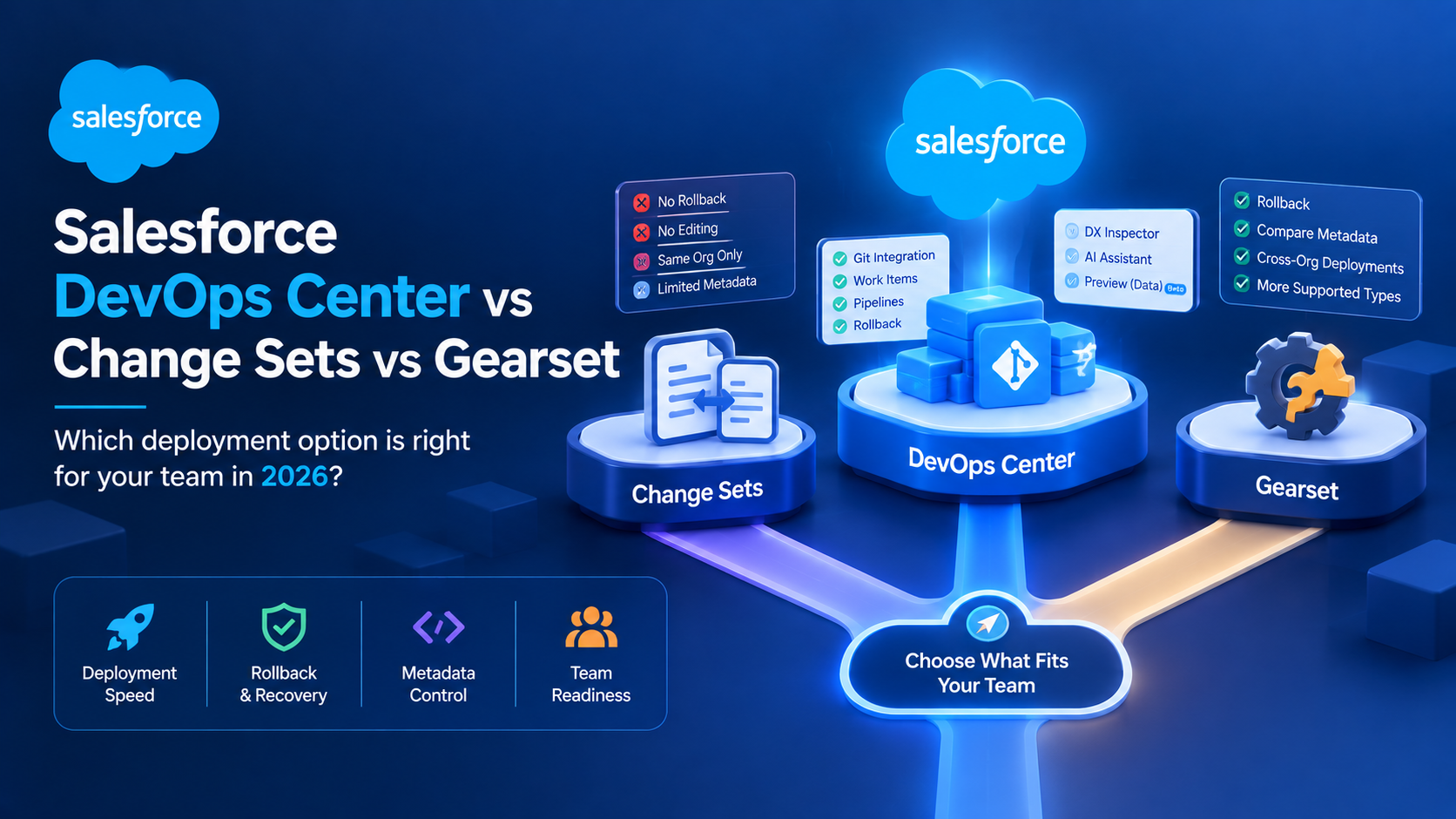
Salesforce DevOps Center vs Change Sets vs Gearset
Salesforce DevOps Center is free, native to the platform since it reached general availability in February 2026, and replaces change sets for most admin teams. Change sets remain free but cannot roll back, cannot be edited after upload, and only work between orgs sharing a production instance. Paid tools such as Gearset, published at USD 215 per user per month, add rollback, metadata comparison and backup that DevOps Center still does not have.
Those three sentences answer the question most teams are actually asking. What they do not answer is which of the three you should be on, and that depends less on features than on how many people touch metadata in your org and whether anyone on the team has used Git.
We have moved four client orgs off change sets in the last year, three to DevOps Center and one to Gearset. Here is how those decisions went.
Why do Salesforce change sets fail on real projects?
Change sets fail on four specific constraints, not on general clunkiness.
No rollback. Once a change set deploys, the changes are committed to the target org. There is no undo. Your recovery plan is a second change set built by hand under time pressure, which is how a bad deployment becomes a bad afternoon.
No editing after upload. An uploaded change set is frozen. Forgot a dependent field? Build a new one. This is the single largest time sink in change set work and it is why deployments take three attempts rather than one.
Same production instance only. Change sets move metadata between orgs connected to the same production org. They cannot move anything between unrelated production orgs, which rules them out for any org consolidation, any merger work, and any ISV scenario.
Missing metadata types. Some components simply are not supported. Standard picklist values are the one that bites most often: custom picklist values deploy, but the values on Opportunity Stage do not. Organisation-wide email addresses, parts of territory management and some Experience Cloud components have the same problem.
There is also a limit worth knowing precisely rather than approximately. A change set can hold up to 10,000 files of metadata, matching the Metadata API's own deployment limit of 10,000 files, 39 MB compressed or 600 MB uncompressed, per Salesforce's Metadata limits reference. Most teams never approach it, but a first-time full-org deployment can.
And the constraint that catches new admins: deploying to production requires 75% Apex test coverage across your entire org, not just across the code you are deploying. Inheriting an org with 68% coverage means fixing someone else's tests before you can ship your own three-field change.
What does Salesforce DevOps Center actually give you?
DevOps Center is Salesforce's own release management tool. It became generally available as a native platform capability in February 2026, replacing the managed package that had delivered it since 2022. It is included at no extra cost on Professional, Enterprise and Unlimited editions.
The model is work items and pipelines. A work item is a unit of change, tied to a user story or ticket. A pipeline is the set of environments that work item moves through. Salesforce tracks which metadata each work item touched, commits it to a Git repository on your behalf, and promotes it stage by stage.
The important part is that Git is doing the work underneath while the admin never has to open a terminal. That is the actual advance over change sets: you get version history, a change log and the ability to promote one work item without dragging along everything else in the sandbox.
The native version added DX Inspector for tracking and committing changes from inside the development org, an AI assistant for promoting changes and resolving conflicts in natural language, and a preview capability for deploying configuration data alongside metadata. Data deployment is a preview feature, so do not build a release process around it yet.
What DevOps Center still does not do
Being honest about this is what makes the tool useful rather than disappointing.
Version control choice is limited. DevOps Center works with GitHub cloud plans, including GitHub Enterprise Cloud, and with Bitbucket Cloud in beta. It does not support self-hosted Git. If your organisation runs GitHub Enterprise Server or GitLab on its own infrastructure, which is common in regulated sectors, DevOps Center is not available to you today. Salesforce has said GitLab and Azure support are being prioritised, without a shipping date.
No rollback. DevOps Center does not roll back a failed promotion any more than change sets do. This surprises people who assume Git underneath means revert on demand.
No metadata comparison. You cannot diff two environments to see what has drifted. This is the feature paid tools sell hardest, and the gap is real.
No backup or restore. DevOps Center is a deployment tool, not a backup tool. You still need a separate answer for data loss.
No Jira integration. Work items live in Salesforce. If your delivery team plans in Jira, someone is keeping two boards in sync by hand. Salesforce has said Jira integration is coming.
Quality gates are not shipped. Salesforce has described automated testing and quality gates as planned rather than available. Some partner write-ups describe quality gates as a current feature; Salesforce's own admin blog puts them on the roadmap. We have gone with Salesforce's version.
How do DevOps Center, change sets and paid tools compare?
| Change sets | DevOps Center | Gearset | Copado | |
|---|---|---|---|---|
| Cost | Free | Free, included in Pro/Enterprise/Unlimited | USD 215-320 per user/month (published) | ~USD 250 per user/month (third-party listing, not a published price) |
| Version control | None | GitHub Cloud, Bitbucket Cloud (beta) | All Git providers | All Git providers |
| Self-hosted Git | Not applicable | Not supported | Supported | Supported |
| Rollback | No | No | Yes, on Teams tier | Yes |
| Metadata comparison | No | No | Yes | Yes |
| Backup | No | No | Separate product, USD 2.75-3.50 per Salesforce user/month | Separate product |
| CI/CD automation | No | Limited | Separate subscription, USD 550-1,100 per team/month | Included |
| Cross-instance deployment | No | Yes | Yes | Yes |
| Jira integration | No | Roadmap | Yes | Yes |
Evidence standard for this table: Gearset figures are published list prices taken from gearset.com/pricing on 8 September 2026, and note that Gearset's core platform and its automation and CI/CD product are priced separately. The Copado figure is a third-party listing rather than a published vendor price; Copado does not publish list pricing, so treat it as an indication and get a quote. Capability rows for DevOps Center come from Salesforce documentation and the admin blog cited above.
The line that matters in that table is the Gearset pricing structure. Teams costing Gearset frequently budget the per-user platform price and then discover the CI/CD automation is a separate per-team subscription starting at USD 550 a month. On a six-person team, Gearset Teams at USD 320 plus automation at USD 550 is USD 2,470 a month, or USD 29,640 a year. That is a real number worth having before the first demo rather than after.
When we chose DevOps Center over a paid tool, and when we did not
Three of our four migrations went to DevOps Center. The pattern in all three: two to four people touching metadata, releases every two to three weeks, no self-hosted Git, and nobody on the team comfortable at a command line. For those teams the honest comparison was not DevOps Center against Gearset, it was DevOps Center against continuing with change sets, and it won that comparison on cost of nothing.
The fourth went to Gearset, and the deciding factor was not a feature list. The client had eight developers, four parallel workstreams and a habit of hotfixing production directly, which meant sandboxes drifted from production constantly. Metadata comparison was the requirement. Without a diff between environments, nobody could tell what had drifted, and DevOps Center does not offer one. We priced DevOps Center plus a standalone comparison tool against Gearset and Gearset came out simpler to run, if not cheaper.
What we gave up by choosing Gearset there was the free option and a fair amount of setup time, roughly two weeks including branching strategy and pipeline configuration. What we gave up on the three DevOps Center projects was rollback. All three teams accepted that trade because their deployment failure rate was already low and their recovery path was a forward fix, not a revert.
The failure we have seen from getting this wrong: a team that bought Copado at the start of a project because they expected to grow to twenty developers, stayed at five, and spent two years paying enterprise pipeline pricing for a workflow three people used. Buy for the team you have.
How to move off change sets in six steps
- Pick your Git provider first. If you are on GitHub Cloud or Bitbucket Cloud, DevOps Center is available. If you are on self-hosted GitHub Enterprise Server, GitLab or Azure DevOps, DevOps Center is not an option today and you are choosing between change sets and a paid tool.
- Fix your Apex test coverage before you migrate, not during. The 75% org-wide requirement applies whatever tool you use. Migrating deployment tooling while below the threshold means debugging two problems at once.
- Define the pipeline with fewer stages than you think you need. Development, integration, production is enough for most teams. Every extra stage is another promotion someone has to remember.
- Migrate one workstream, not the whole team. Run one squad on DevOps Center for two release cycles while everyone else stays on change sets. Two cycles is enough to surface the conflicts and the metadata types nobody thought about.
- Write down what you do when a promotion fails. Since there is no rollback, this procedure is your safety net, and it needs to exist on paper before your first production promotion rather than after.
- Review at 90 days against the paid tools. If you are hitting the metadata comparison gap weekly, that is the signal to price Gearset properly, including the separate automation subscription.
Frequently Asked Questions
Is Salesforce DevOps Center free?
Yes. DevOps Center is included at no additional licence cost on Professional, Enterprise and Unlimited editions, and became a native platform capability at general availability in February 2026, so there is no managed package to install. The costs that do apply are indirect: a GitHub or Bitbucket Cloud subscription if you do not already have one, and the setup time to define pipelines and branching.
Are Salesforce change sets deprecated?
Salesforce has not announced a retirement date for change sets, and they continue to work. DevOps Center is positioned as the successor, and Salesforce's investment is clearly there rather than in change sets. We would not plan a new release process around change sets in 2026, but there is no deadline forcing an immediate migration.
Does DevOps Center work with GitLab or Azure DevOps?
Not yet. DevOps Center supports GitHub cloud plans including GitHub Enterprise Cloud, and Bitbucket Cloud in beta. Self-hosted Git, including GitHub Enterprise Server, is not supported. Salesforce has said support for GitLab and Azure is being prioritised but has not published a date. Teams on those platforms need a paid tool or must keep using change sets.
Can DevOps Center roll back a failed deployment?
No. DevOps Center does not provide automated rollback, so a failed promotion is recovered with a forward fix rather than a revert. Rollback is one of the clearest gaps against paid tools: Gearset includes it on its Teams tier at USD 320 per user per month. Before your first production promotion, document the manual recovery procedure your team will follow.
How much does Gearset cost for a Salesforce team?
Gearset publishes list pricing: the core DevOps platform is USD 215 per user per month on Starter and USD 320 on Teams, with automation and CI/CD sold separately at USD 550 to USD 1,100 per team per month. Backup, code review and observability are further separate products. A six-person team on Teams plus Starter automation costs roughly USD 29,640 a year.
Do I need Git experience to use DevOps Center?
No. DevOps Center manages the Git repository on the admin's behalf, so branching, committing and merging happen without anyone using a command line. You do need a GitHub or Bitbucket Cloud account, and someone should understand branching well enough to design the pipeline. In practice one person on the team learning the concepts is sufficient.
Where to start if you are still on change sets
The specific problem this post described, a deployment you cannot undo and cannot edit once uploaded, is solved by DevOps Center at no licence cost as long as your Git repository is hosted by GitHub or Bitbucket in the cloud. Check that one condition first, because it decides everything else. If it holds, migrate a single workstream and run it for two release cycles before moving the rest of the team. If you would like help designing the pipeline and the failure procedure that goes with it, get in touch; release management setup is part of our Salesforce implementation services.
Have Questions or Need Assistance?
Our team of Salesforce experts is ready to help you implement the solutions discussed in this article.
Contact Us Today