Salesforce Portal Costs: Login vs Member Licensing
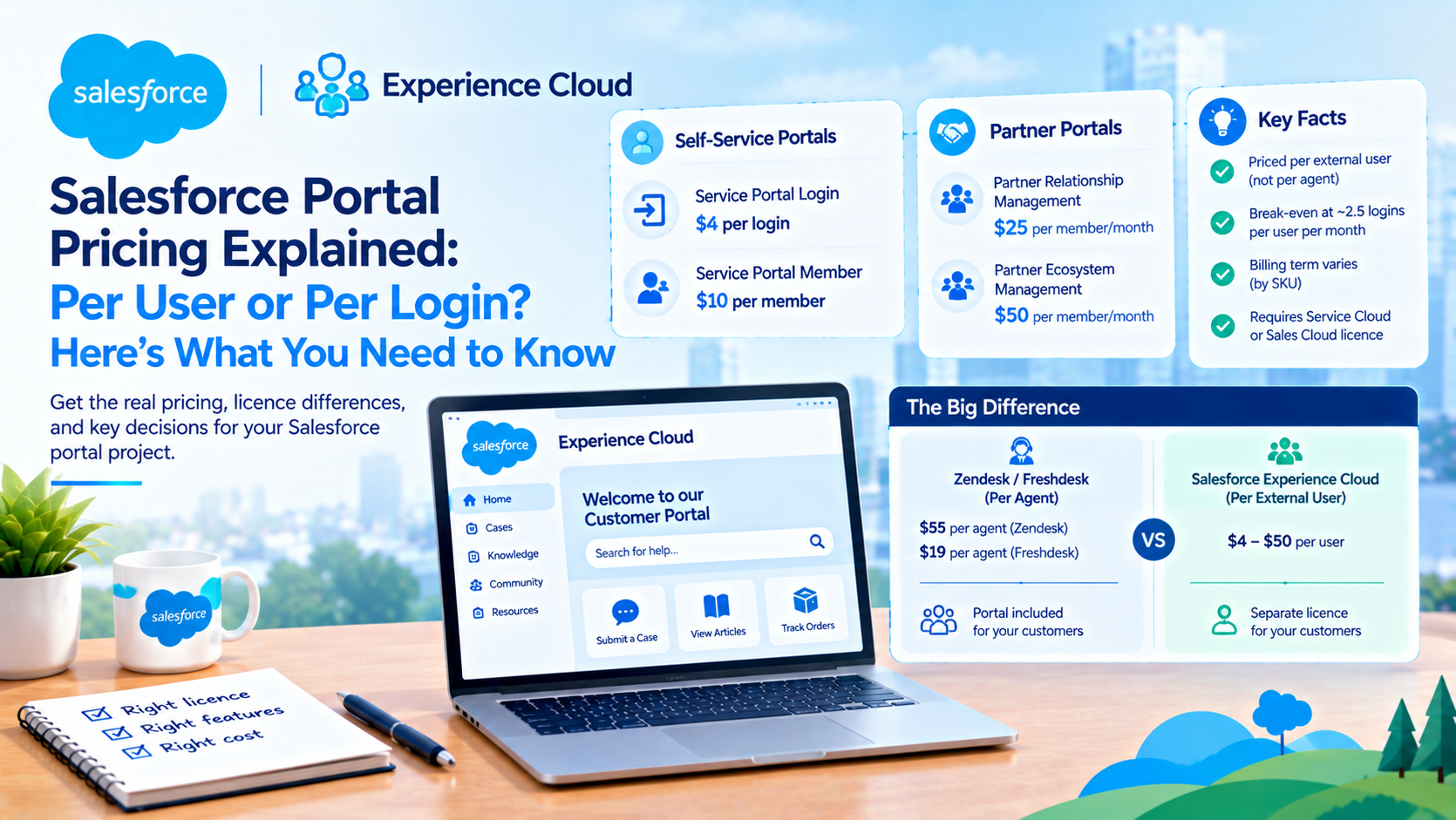
A Salesforce portal is priced per external user, not per internal agent. As of October 2026 Salesforce publishes Service Portal Member at USD 10 per member per month and Service Portal Login at USD 4 per login, with partner portals at USD 25 and USD 50 per member per month. The break-even between the two models sits at roughly 2.5 logins per user per month, and the licence you choose constrains what the portal can do far more than it constrains what it costs.
That last sentence is where portal projects go wrong. We have been brought into three rebuilds in the past eighteen months where the licence was chosen on price, the build started, and the capability gap surfaced in week nine. This post is the licence decision done in the right order: what Salesforce actually publishes, how the login meter really works, and which licence can do the job you have in mind.
Why a Salesforce portal costs per customer when Zendesk costs per agent
This is the structural difference that makes every head-to-head comparison confusing, and it is worth getting straight before any numbers.
Zendesk and Freshdesk price per agent and give you the help centre with the seat. Zendesk Suite Team is USD 55 per agent per month paid yearly. Freshdesk Growth is USD 19 per agent per month billed annually. In both cases the customer-facing portal is a feature of the agent licence. Your customers are free.
Salesforce prices the customer. Your agents are already paying for Service Cloud, and the portal is a separate per-external-user licence on top.
Run the arithmetic on a service operation with 50 agents and 20,000 customers who might log in. On Zendesk Suite Team at list that is about USD 2,750 per month. On Service Portal Member at list that is USD 200,000 per month. The comparison is not close, and anyone pitching Experience Cloud against Zendesk on seat price is going to lose.
The comparison only runs the other way when portal users are infrequent, which is precisely what the login model exists for and precisely why understanding its meter matters more than negotiating the rate.
What Salesforce actually publishes for portal licences in October 2026
Every figure in this table is a published list price. We fetched each page on 5 October 2026 and the sources are linked.
| SKU | Published list price | Unit | Billing term as published |
|---|---|---|---|
| Service Portal Login | USD 4 | per login | Not stated on the page |
| Service Portal Member | USD 10 | per member | Not stated on the page |
| Help Agent Resolutions | USD 2 | per resolution | Not stated on the page |
| Partner Relationship Management | USD 25 | per member per month | Billed annually |
| Partner Ecosystem Management | USD 50 | per member per month | Billed annually |
The billing-term column is not pedantry. The partner pages carry an explicit "This edition requires an annual contract" footnote. The self-service page does not, saying only that "Most Salesforce products use annual contracts, but Salesforce subscription terms vary." Do not assume an annual commitment on Service Portal until the order form says so, and do not assume you can get monthly either.
Two prerequisites are published and both are easy to miss in a budget. Service Portal requires you to select a Service Cloud edition first. Partner Relationship Management and Partner Ecosystem Management both "require a Sales Cloud or CRM license". The portal licence is never the whole bill.
The SKU names on the pricing pages no longer match the documentation
This is the single most practically useful finding in this post, and nobody writes about it.
Salesforce has renamed the general Experience Cloud ladder on its pricing pages without renaming it in the Help documentation. The pricing pages sell Service Portal Login and Service Portal Member, and Partner Relationship Management and Partner Ecosystem Management. The Help documentation still describes Customer Community, Customer Community Plus, Partner Community, External Apps, External Identity and Channel Account.
The mapping is checkable rather than guessed, because the allocations line up exactly. Partner Relationship Management publishes 10 custom objects, 5 MB per member, 200 API calls per member per day. That is precisely the Help documentation's "Partner Community (PRM SKU)" row. Partner Ecosystem Management publishes 100 custom objects, 45 MB per member, 1,000 API calls per member per day, which is the "Partner Community (External Apps SKU)" row.
Why this matters: the limits you need in order to design the portal are published only under the old names. So your quote says one thing, your architecture document needs another, and you need the mapping to read the limits table at all. Get the legacy licence name written into the order form alongside the new SKU name. We have seen a procurement team sign for "Partner Relationship Management" and the build team design against External Apps allocations, which is a 10x difference in API budget.
Industry pages still carry the old names and different prices
Salesforce's industry pricing pages were not updated with the general ones, and they publish the legacy ladder with prices the general pages no longer show.
| Page | SKU | Published list price |
|---|---|---|
| Manufacturing | Customer Community Plus, logins | USD 15 per login per month |
| Manufacturing | Customer Community Plus, members | USD 35 per member per month |
| Manufacturing | Partner Community, logins | USD 20 per login per month |
| Manufacturing | Partner Community, members | USD 50 per member per month |
| Education | Login Edition, learners and alumni | USD 3.75 per login per month |
| Education | Member Edition, learners and alumni | USD 8.75 per member per month |
| Education | Login Edition, partners | USD 5 per login per month |
| Education | Member Edition, partners | USD 12.50 per member per month |
All of those are labelled "Billed annually" on their pages. Note the spread: a logins-based community user is USD 3.75 on the education page, USD 4 on the general self-service page and USD 15 on the manufacturing page. The product is similar. The industry SKU is not.
There is also a real gap. We could find no published list price anywhere for plain Customer Community, External Apps, Channel Account, or for the login variants of Partner Relationship Management and Partner Ecosystem Management. The partner pricing page acknowledges the last of those explicitly, saying "There is log in pricing available for each of these as well", and publishes no rate. If your model depends on a partner login price, it depends on a number only your account executive has.
How the login meter actually works, and the ratio nobody models
Salesforce's Experience Cloud user licences documentation is precise about this, and the detail changes the arithmetic.
What consumes a login. "External users associated with that license consume one login each time they log into a site. However, logging in multiple times during the same day still only consumes one login and, after they're logged in, switching between sites doesn't consume extra logins." So the unit is a daily unique login per user, not a session, and a customer who logs in four times on Tuesday costs you one.
The entitlement pools annually. "Entitlements roll over from month to month. If you purchase 1,000 monthly logins, you're entitled to a total of 12,000 annual logins." And "Login overages are calculated over a 12-month period from the start date of the contract."
That pooling is the thing most cost models get wrong in the expensive direction. A portal with a seasonal spike, a benefits enrolment window or an academic intake, looks catastrophic if you model the peak month against a monthly entitlement. It is not, because January's unused logins are still available in September. Model the annual pool for the bill.
The 1:20 provisioning ratio is the constraint that actually bites. "The ratio between the number of monthly logins you purchase and the number of login licenses that are provisioned in your org is 1 to 20. For example, if you purchase 1,000 monthly logins, then 20,000 login licenses are provisioned in your org."
Read that the other way round, because that is the direction it will constrain you. If you need 20,000 named external user records to exist, you must buy at least 1,000 monthly logins, no matter how rarely those people log in. A membership body with 50,000 dormant members and genuinely minimal login activity cannot buy 200 logins a month and call it done. It needs 2,500 monthly logins just to hold the records. So: model the annual pool for the bill, and the 1:20 ratio for whether the user records can exist at all. Those are two separate calculations and they produce different minimums.
The break-even, and a contradiction in Salesforce's own wording
Salesforce publishes no numeric break-even. Its only guidance is directional: "Selecting member is best when there is a known user count or frequent users of a Community. Selecting login is best when there is an unknown user count or infrequent users of a Community."
The arithmetic below is ours, derived from the published prices above. It is a planning baseline to test a real quote against, not a Salesforce figure.
| Licence pair (published prices) | Login price | Member price | Logins per user per month at which member wins (our arithmetic) |
|---|---|---|---|
| Service Portal | USD 4 | USD 10 | 2.5 |
| Education, learners and alumni | USD 3.75 | USD 8.75 | 2.33 |
| Education, partners | USD 5 | USD 12.50 | 2.5 |
| Manufacturing Customer Community Plus | USD 15 | USD 35 | 2.33 |
| Manufacturing Partner Community | USD 20 | USD 50 | 2.5 |
The ratio is strikingly consistent at 2.33 to 2.5 across every published pair, which tells you Salesforce prices these deliberately rather than per industry. The practical rule: if a typical portal user logs in on three or more distinct days a month, member licensing wins. Below two, login wins comfortably. Between two and three, the pooling and the 1:20 ratio decide it, not the headline rate.
Two honest gaps. First, Salesforce's documentation does not state what happens when an annual login pool is exhausted. We looked. There is no published blocking behaviour, no documented denial of access, no stated auto-overage mechanism. Get the overage treatment written into the contract, because the absence of documentation is not the absence of a charge. Second, Salesforce contradicts itself on the window: the Help documentation meters a calendar day, while the self-service pricing page sells a "24 hour login session". Those are not the same thing for a user who logs in at 11pm. Both pages are live. Ask which governs the invoice.
Which licence can run a partner portal, and which only looks like it can
This is where the money is actually lost, and it is a capability question rather than a price question.
The clearest published statement of the gap is on Salesforce's manufacturing Experience Cloud licences page:
- Partner Community: "you can share leads, opportunities, campaigns, and quotes with external users". Its limitation: "Person accounts aren't supported".
- Customer Community Plus: "Person accounts are supported" but "you can't share leads, opportunities, campaigns, and quotes with external users".
Read those two sentences together and the trade-off is complete. You can have person accounts or you can have deal sharing. Not both, in one licence.
The trap is specific and we have watched it catch two clients. A buyer reads the object-permission table, sees that Customer Community Plus has read and create access to Opportunity, and concludes it will run a deal-registration portal. The permission exists. The sharing does not. Your partner user can hold the Opportunity object permission and still see no opportunities, because the sharing mechanism that would show them records is the one that licence lacks.
| Capability | Customer Community | Customer Community Plus | Partner Community |
|---|---|---|---|
| Sharing sets | Yes | Yes | Yes |
| Sharing rules | No | Yes | Yes |
| Roles and role hierarchy | No | Yes | Yes |
| Share groups | Yes | Not available | Not available |
| Share leads, opportunities, campaigns, quotes with external users | No | No | Yes |
| Person accounts | Yes | Yes | Not supported |
| Create, edit and delete reports | No | Yes | Yes |
| Must be linked to a business account enabled as a partner account | No | No | Yes |
Source: Salesforce's Experience Cloud licence limitations and external user report management pages, verified 5 October 2026.
On reports specifically, Salesforce is explicit. Report creation and editing is available to "Customer Community Plus and Partner Community" plus legacy role-based portal licences, and those permissions "aren't available to high-volume user licenses, such as Customer Community, High Volume Customer Portal, Service Cloud Portal, and Authenticated Website." External users also need the Create and Customize Reports and Edit My Reports permissions, with Export Reports on top if they are to export anything.
And a constraint that catches custom data models: "Objects that don't support standard sharing (using Sharing settings) aren't visible in reports intended for external users." If your portal's central object is one of those, the reporting requirement is unbuildable at any licence tier, and that is better to know in week one than week nine.
What we recommend, and the alternative we stopped recommending
For a customer self-service portal, cases and knowledge only, we specify the login-based self-service licence and we do not fight it. For anything where external users need to see each other's records inside an account hierarchy, we specify Partner Community even when the users are customers rather than partners, because roles and sharing rules are what the requirement actually needs.
The option we have stopped recommending is Customer Community Plus as a cheaper partner portal. On paper it looks like the sensible middle: roles, sharing rules, reports, person accounts, and no partner-account prerequisite. In practice, every partner portal we have built has eventually needed to share an opportunity or a quote, and that is the one thing Plus cannot do. The rebuild costs more than the licence difference did, every time. The exception is genuine: if the external users are individual consumers rather than people at companies, person-account support makes Plus the right answer and Partner Community the wrong one.
Where headless and mobile portal plans die: the API allocation
This one has no workaround and it is published plainly.
Per Salesforce's Experience Cloud API usage allocation page:
| Licence | API calls per day, member-based | API calls per day, login-based |
|---|---|---|
| Customer Community | 0 | 0 |
| Customer Community Plus | 200 per member | 10 per login |
| Partner Community (PRM SKU) | 200 per member | 10 per login |
| Partner Community (External Apps SKU) | 1,000 per member | 400 per login |
| Lightning Platform Plus | 1,000 Enterprise, 5,000 Unlimited | n/a |
Three things to take from that. Customer Community contributes zero API calls. A custom mobile app, a React front end or any headless consumption of Salesforce data has no budget at all on that licence. The login-based cut is brutal and counter-intuitive: login-based Customer Community Plus gets 10 calls per day against 200 for member-based, a 20-fold reduction for the same licence family. And External Apps inverts it, where login-based gets 400 against member-based 200.
One documentation caveat, flagged because the standard we hold ourselves to requires it. The licence comparison table rendered a different figure for Customer Community on one of our two reads of it. We are quoting the dedicated API usage allocation page, which is the more specific source, and it gives 0. Confirm your own allocation in writing before designing an integration against it, because a 0 and a 200 are not a rounding difference.
Salesforce also notes that "Communities API usage limits listed here are in addition to your Salesforce org's API limits", so the external allocation adds to rather than draws from the org pool. That is the one piece of good news in the section.
What else the portal costs, beyond licences
The published platform limits are the part buyers never model, and one of them can take a site offline.
From Salesforce's Sites limits documentation:
| Edition | Max Salesforce Sites | Bandwidth per 24 hours, production | Service request time per 24 hours, production | Max page views per month |
|---|---|---|---|---|
| Developer | 1 | 500 MB | 10 minutes | n/a |
| Enterprise | 25 | 40 GB | 60 hours | 500,000 |
| Unlimited and Performance | 25 | 40 GB | 60 hours | 1,000,000 |
The enforcement wording is the decision-relevant part, and the two kinds of limit behave completely differently. The 24-hour bandwidth and service-request limits are soft: "Sites that exceed provisioned limits within the 24-hour period remain available if the host instance has resources to serve the site. However, even if a site is available once limits are exceeded, there's no guarantee in service level."
Monthly page views are hard. Exceed 110% for four consecutive months, or 300% in a single month, and "your Salesforce Sites can be disabled until the next calendar month begins or you purchase more page views." Salesforce notifies site and billing contacts and the account executive first, but the mechanism exists and it is published. A marketing campaign that drives traffic at a help centre is how an org discovers this.
Separately, Experience Cloud sites have their own cap of 100 per org, counting active, inactive and preview sites including Visualforce sites, with archived sites excluded.
Guest user access is locked down and cannot be loosened. Salesforce states that the Secure guest user record access setting "is enabled in all Salesforce orgs with Experience Cloud sites and can't be disabled". Guest users have org-wide defaults set to Private for all objects, and "This access level can't be changed". They cannot be added to queues or public groups, cannot be granted access through manual sharing or Apex managed sharing, and "The only object permissions allowed for guest users are read and create." Read access to records comes only through guest user sharing rules. If your design assumed an anonymous visitor could update a record, redesign it now.
On templates: LWR sites support up to 500 routes, with 250 recommended for performance. 500 is the cap, 250 is advice, and those are different things. And on the question everybody asks, Salesforce has published no end-of-support date for Aura sites. They do not appear on the Active Product and Feature Retirements list, last modified 16 September 2026. Treat "Aura is legacy" as positioning, which it is, and not as a dated deadline, which it is not.
Implementation effort, labelled as ours
Salesforce publishes nothing on portal build effort or cost. Every number in circulation is partner-estimated, including these.
| Portal shape | Typical elapsed build time (our estimate, not a Salesforce figure) |
|---|---|
| Self-service help centre, standard template, knowledge and case submission | 4 to 8 weeks |
| Authenticated customer portal, case management, two or three custom objects, SSO | 8 to 14 weeks |
| Partner portal with deal registration, external roles, sharing rules and reporting | 12 to 20 weeks |
Use those as a planning baseline to test real quotes against. The variance driver is almost never the pages. It is the sharing model, and specifically how many distinct external account shapes you need to support.
The Winter '27 change to portals that nobody is writing about
If you were planning to put Agentforce into an Experience Cloud site through the low-code route, that route closed.
Salesforce's documentation is blunt: "The Experience Builder Agent, previously announced as a beta feature for enhanced LWR sites, is discontinued as of Winter '27." And "If you created an Experience Builder Agent during the beta, you can no longer use it. The Agentforce panel is no longer available in Experience Builder." No replacement is named. That is a dated regression against a beta feature a number of teams had started building on, and it has had almost no coverage.
What did arrive points in a different direction. The self-service pricing page now states that Service Portal Login includes "Unmetered Agentforce & Data 360 Queries during 24 hour login session", and Service Portal Member the same "with unlimited sessions per month". So agentic capability is being bundled into the portal seat rather than configured in Experience Builder. What Salesforce does not publish is which Agentforce licence underwrites that inclusion, or whether Flex Credits are consumed behind it. That is a question for your account executive, in writing, before you price a portal on the assumption that the AI is free.
One more status contradiction to be aware of if the Headless Experience Layer is in your plan. Salesforce's Dreamforce announcements blog says it is generally available. The product page says Beta. Both are live Salesforce pages. And its published surfaces are Lightning, Slack, ChatGPT and Claude, with no Experience Cloud portal among them. If someone has told you the headless layer replaces your portal, there is no published basis for that yet.
How to size the portal licence decision in the right order
- Write down the sharing requirement first, before any licence name. Specifically: do external users need to see records owned by other users at the same account, and do any of those records include leads, opportunities, campaigns or quotes? That single question eliminates two of the three licence families.
- Decide whether your external users are companies or individuals. People at companies point to Partner Community. Individual consumers point to person accounts, and therefore to Customer Community Plus.
- Count distinct login days per typical user per month, not sessions. Three or more distinct days favours member licensing. Under two favours login.
- Calculate both minimums separately. The annual pool for the bill, at twelve times the monthly entitlement. The 1:20 ratio for whether every user record can exist. Buy against the larger.
- Check the API allocation against your integration plan before anyone writes a line of front-end code. If the answer is Customer Community and the plan is a mobile app, the plan or the licence has to change.
- Model page views against the published monthly cap for your edition, and know that 300% in one month is a disabling event rather than an invoice.
- Get four things into the order form: the legacy licence name alongside the new SKU name, the login overage treatment, whether the term is annual, and what the bundled Agentforce entitlement actually covers.
Frequently Asked Questions
How much does a Salesforce customer portal cost per user?
Salesforce publishes Service Portal Member at USD 10 per member per month and Service Portal Login at USD 4 per login, both requiring a Service Cloud edition underneath. Partner portals are USD 25 per member per month for Partner Relationship Management and USD 50 for Partner Ecosystem Management, both requiring a Sales Cloud or CRM licence and an annual contract. Industry pages publish different figures for similar licences.
Is login-based or member-based Experience Cloud licensing cheaper?
Member licensing wins once a typical user logs in on roughly 2.5 or more distinct days per month, derived from the published prices. Below two distinct login days a month, login licensing is clearly cheaper. The complication is that login entitlements pool across twelve months from the contract start date, so a seasonal portal is cheaper on login licensing than a monthly peak calculation suggests.
Can Customer Community Plus run a partner portal?
Not completely. Salesforce documents that with Customer Community Plus "you can't share leads, opportunities, campaigns, and quotes with external users", which rules out deal registration and most channel-sales use cases. Partner Community can share those objects but does not support person accounts. The object permission appearing in a comparison table does not mean the sharing mechanism exists, and that gap is the most common cause of a portal rebuild.
How many API calls do Experience Cloud users get?
Customer Community licences contribute zero API calls per day per Salesforce's Experience Cloud API usage allocation page. Customer Community Plus and Partner Community on the PRM SKU get 200 per member per day, dropping to 10 per day on login-based licensing. The Partner Community External Apps SKU gets 1,000 per member or 400 per login. These allocations add to the org's own API limits rather than consuming them.
Will Salesforce retire Aura Experience Cloud sites?
Salesforce has published no end-of-support or retirement date for Aura sites. They do not appear on the Active Product and Feature Retirements list as last modified on 16 September 2026, and Aura sites have continued to receive platform features. LWR is clearly the direction of investment and the right default for new builds, but there is no published deadline forcing a migration of an existing Aura site.
Can guest users update records in an Experience Cloud site?
No. Salesforce enforces that "The only object permissions allowed for guest users are read and create", guest org-wide defaults are set to Private and cannot be changed, and the secure guest user record access setting cannot be disabled in any org with Experience Cloud sites. Guest users also cannot be added to queues or public groups, or granted access through manual or Apex managed sharing.
If the licence decision is already made and the requirement has moved
The expensive version of this project is the one where the licence was signed against a price and the sharing model was designed three months later. The fix is not more build time, it is a licence re-specification mid-project, and it usually arrives with a procurement conversation nobody budgeted for.
If you are at the stage of comparing a quote against what the portal actually has to do, that is a two-day piece of work rather than a project: the sharing requirement written down, the licence families eliminated against it, the API and page-view ceilings checked against your integration and traffic plans. We do that as a fixed-price assessment and the output is a one-page licence specification you can hand to procurement. Send us the requirement and we will tell you which licence it needs before anyone builds a page. Our wider Salesforce consulting services cover the build itself if you want it.
Have Questions or Need Assistance?
Our team of Salesforce experts is ready to help you implement the solutions discussed in this article.
Contact Us Today