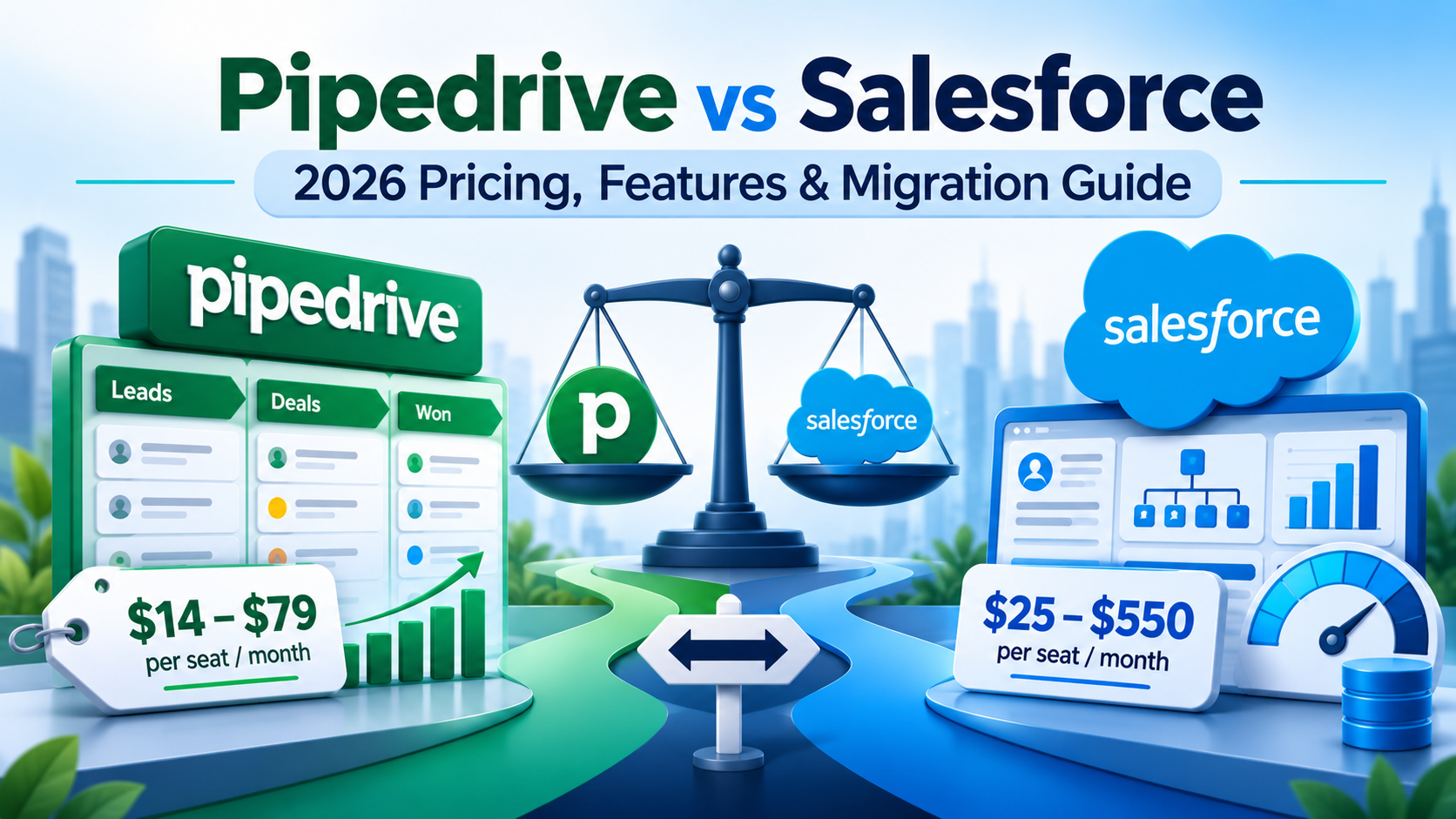
Salesforce vs Pipedrive: Pricing and Fit for SMEs
Pipedrive costs $14 to $79 per seat per month billed annually across four plans. Salesforce costs $25 for Starter Suite and $195 to $550 for the Core, Advanced and Max editions. The comparison that matters for a growing business is not $14 against $195, it is Pipedrive Premium at $59 against Salesforce Core at $195, because Premium is the first Pipedrive tier with multi-mailbox sync, custom visibility groups and custom permission sets. That gap is 3.3 times, not 14.
Both ladders were read off the vendors' own pricing pages on 9 November 2026. The decision between them usually comes down to two things that are not price: whether you need custom objects, and whether Pipedrive's published per-tier caps fit your data volume.
What do Salesforce and Pipedrive cost per seat in 2026?
Pipedrive, from pipedrive.com/en/pricing, verified 9 November 2026. Published list prices, per seat per month billed annually. Pipedrive renamed its plans during 2026, so if you are looking at an older comparison, Essential became Lite, Advanced became Growth, Professional and Power both became Premium, and Enterprise became Ultimate.
| Plan | Per seat per month, billed annually | Per seat per year |
|---|---|---|
| Lite | $14 | $168 |
| Growth | $39 | $468 |
| Premium | $59 | $708 |
| Ultimate | $79 | $948 |
Prices are VAT exclusive and the page carries a "(Save up to 42%)" badge for annual billing. We could verify only one monthly price directly, Lite at $24, which is where that 42% comes from.
Salesforce, from salesforce.com/sales/pricing, verified 9 November 2026. Published list prices, per user per month.
| Edition | Price | Billing | Flex Credits |
|---|---|---|---|
| Starter Suite | $25 | Billed monthly or annually | not stated |
| Pro Suite | $100 | Billed annually | not stated |
| Core | $195 | Billed annually | 500K per org |
| Advanced | $395 | Billed annually | 1M per org |
| Max | $550 | Billed annually | 2.75M per org per year |
One difference worth noting before the feature comparison. Salesforce publishes a local-currency ladder: the UK page gives Starter at £20, Core at £156 and Max at £440. Pipedrive's UK page served us the same US dollar figures as the US page, so a UK buyer is pricing in a currency they do not invoice in and carrying the exchange risk themselves.
Why the honest comparison is $59 against $195
Comparing entry tiers is how most of these posts are written and it is misleading in both directions.
Pipedrive Lite at $14 has no automations at all and no email sync at all, per Pipedrive's own usage limits page. A sales team that cannot sync email or automate a follow-up is not running a CRM, it is running a shared spreadsheet with a nicer pipeline view. Growth at $39 adds 50 automations and one synced mailbox per user. Premium at $59 is the first tier with three mailboxes per user, custom visibility groups, custom permission sets, LeadBooster, Smart Docs with e-signature, and Projects included rather than as a paid add-on.
On the Salesforce side, Starter Suite at $25 is a genuinely capable small-business CRM and Salesforce states there is "no user maximum" on it, which corrects a widely repeated claim that it caps at 10 users. The only ten-user figure Salesforce publishes is on the free trial. Pro Suite at $100 adds custom objects, flows, approvals, forecasting, quoting and a developer sandbox.
So at 25 seats, annually: Pipedrive Premium is $17,700 and Salesforce Core is $58,500. Those figures are our arithmetic on the published per-seat prices, and the Pipedrive side excludes add-ons, which we will come back to. The ratio is 3.3 times, which is a real difference and a defensible one to take to a board. The 14 times version is not.
What Pipedrive caps that Salesforce does not
This is the most useful table in this post and almost nobody publishes it, because it requires reading Pipedrive's support documentation rather than its marketing. Every figure is from Pipedrive's usage limits page, verified 9 November 2026. "N/A" is Pipedrive's own marker for not available.
| Limit | Lite | Growth | Premium | Ultimate |
|---|---|---|---|---|
| Leads and deals, per seat | 2,500 | 5,000 | 15,000 | 20,000 |
| Custom fields, per company | 30 | 100 | 300 | 500 |
| Insights reports, per user | 15 | 50 | 250 | 500 |
| Automations, per company | N/A | 50 | 150 | 250 |
| Sequences, per company | N/A | 5 | 25 | 50 |
| Synced email accounts, per user | N/A | 1 | 3 | 5 |
| Teams, per company | N/A | N/A | 15 | 25 |
| Custom visibility groups | N/A | N/A | 15 | 25 |
| Custom permission sets | N/A | N/A | 15 | 25 |
| API tokens, per seat per day | 30,000 | 60,000 | 150,000 | 210,000 |
Two absolute ceilings apply regardless of seat count: leads and deals cap at 300,000 per company account, and API tokens cap at 100 million. Pipedrive states that it will not delete data when you go over a limit, but you cannot manually add more of the exceeded item, and deals pushed onto the waitlist by automations or imports are deleted after a year on it. Admins get in-app and email alerts at 80% and 100% of a limit.
Three of these are worth planning around.
The 300,000 company-wide deal ceiling is real and it arrives faster than people expect. A business creating 1,000 deals a month hits it in 25 years, which is fine. A business importing historical data from a previous system, or one where every inbound enquiry becomes a lead, can get there inside five. Salesforce's equivalent constraint is data storage in megabytes rather than a record count, which behaves very differently as you grow.
Custom fields are capped per company, not per object. Premium's 300 custom fields are shared across leads, deals, people, organisations, products and activities. On Salesforce, custom field allocations are per object, so 300 fields on Opportunity does not consume anything on Account.
Visibility groups and permission sets stop at 15 on Premium. For a 50-person sales organisation with regional teams, that is usually enough. For a business with brand, region and channel dimensions to its access model, it is not, and the next step up is Ultimate at $79 rather than a redesign.
One disagreement to flag, since you may hit it: Pipedrive's usage limits page says Premium allows 15 custom permission sets, while its visibility and permissions overview says Premium allows two. Both pages are live. We would plan on the lower number until Pipedrive clarifies.
Where Pipedrive genuinely wins: the API is included
This is the cleanest factual contrast between the two products and it rarely appears in comparison posts.
Pipedrive lists API access and webhooks as features of every plan, old and new, including Lite at $14. Salesforce sells the Web Services API as a paid add-on at "$25/user/month" per its platform add-ons page, which also states that it is "Included in Enterprise and Unlimited licenses." It is listed as available with Pro Suite and Professional. Salesforce has not republished that inclusion statement against the Core, Advanced and Max names, and Core, Advanced and Max do not appear in the add-ons PDF at all, so we cannot tell you with a citation whether Core includes it. The inference that Core inherits what Enterprise had is reasonable and it is still an inference.
What we can say with citations on both sides: Pipedrive includes API and webhooks on a $14 seat, and a Salesforce Pro Suite seat at $100 needs a further $25 per user per month to get API access. For a small business whose plan involves integrating the CRM with anything, that is a real difference in the first year.
Pipedrive's rate limiting is also more generous than most people assume and it is published in detail. Its rate limiting documentation gives the daily budget as "30,000 base tokens × subscription plan multiplier × number of seats", with multipliers of 1 for Lite, 2 for Growth, 5 for Premium and 7 for Ultimate. Operations cost different amounts: a single-record read is 2 tokens, a list is 20, an update is 10, and a search is 40. The burst limit over a rolling two-second window is per token rather than per company, at 20 to 120 requests for API-token authentication and 80 to 480 for OAuth apps, which is a four times advantage for anything built as a proper OAuth integration.
Salesforce's API allocation is a flat call count: 100,000 plus 1,000 per Salesforce licence per 24 hours on Enterprise and Professional, or 5,000 per licence on Unlimited, with a concurrency limit of 25 for calls running 20 seconds or longer.
The two models are not directly comparable and we are not going to give you a ratio. The useful observation is structural: Pipedrive weights its budget so cheap reads are cheap and a search costs 20 times a read, while Salesforce charges one call for either. If your integration is read-heavy, Pipedrive's model favours you. If it is search-heavy, it does not.
Pipedrive's AI features are also included rather than metered. Its AI documentation lists an import assistant, report creation, marketplace search and a Sales Assistant across all plans, with email creation and summarisation on Premium and Ultimate, and mentions no credits, caps or separate price. That is not the same as unlimited, since the page is silent on limits rather than stating there are none, and four of those features are described as beta and "available only to selected users". Salesforce meters AI in Flex Credits per org per year and sells Agentforce for Sales "From $125 USD/user/month" on top of the licence.
The data model limit that decides this for some businesses
If you take one thing from this post, take this. Pipedrive has no custom objects.
Pipedrive's API documentation describes the product's core entities, and the complete list is leads, deals, persons and organisations, activities, projects, products and users. Customisation is scoped to custom fields and custom activity types. There is no user-defined entity concept anywhere in the product or its API. Pipedrive never says "we do not have custom objects", because it does not need to; the absence is the documentation.
Two published constraints follow from that model and both are decisive for some businesses.
"A person can only be linked to one organization." That is Pipedrive's own sentence. If you sell into group structures, or your contacts sit on two boards, or a consultant works across three of your clients, Pipedrive's data model cannot represent it. Salesforce's answer is Contacts to Multiple Accounts, which has existed for years.
A lead or deal "must always have one person (contacts) or organization (contacts) linked with them." You cannot hold an unattached opportunity.
Pipedrive also has no customer sandbox. It publishes a developer sandbox, described as a safe environment for "app developers" building Marketplace apps, requested through a form, "limited to 5 seats by default", and deleted if no app is created within 45 days. It is seeded from template data rather than copied from production. That is not a release-management environment. For a 100-seat business with any kind of change control, the absence of a production copy to test against is a governance gap, and Salesforce's Partial Copy and Full Copy sandboxes are sold at 20% and 30% of net spend precisely because that capability has a price.
On quoting, Pipedrive's Smart Docs generates "proposals, quotes and contracts directly from your deals and contacts", autofilled from Pipedrive data, backed by Google Drive, OneDrive or SharePoint, with e-signature on Premium and Ultimate. What its documentation does not mention anywhere is a pricing engine, approval-gated discounting, invoicing or payment collection. So Pipedrive quoting is a templated document generator, which is the right tool for a lot of businesses and is not configure-price-quote.
What breaks when you migrate from Pipedrive to Salesforce
We have run this migration and the surprises are not where clients expect them.
The good news first, because it is counter-intuitive. Created dates can be preserved. Salesforce's system fields documentation states that audit field values can be set on a specific object list: "Account, ArticleVersion, Attachment, CampaignMember, Case, CaseComment, Contact, ContentVersion, Contract, Event, Idea, IdeaComment, Lead, Opportunity, Question, Task, Vote, and custom objects." Event and Task are on that list, which is exactly where Pipedrive activities land. Enable the "Set Audit Fields upon Record Creation" permission before the load, run the load through the API, and your historical created dates survive. "The only audit field you cannot set a value for is systemModstamp", and the earliest date you can set is 1970-01-01.
The bad news is stage history. Salesforce's OpportunityHistory object supports only describeSObjects(), getDeleted(), getUpdated(), query() and retrieve(). There is no create(). Its reference says flatly "This object is read-only", and rows are system-generated: "The system generates a new record whenever a user or client application changes the value of any of the above fields", those fields being Amount, Probability, Stage and Close Date.
So your Pipedrive deal stage history cannot be written into Salesforce's native stage history. Opportunity stage history for a migrated deal starts on the day you load it. The options are a custom object to hold the legacy history as reference data, or accept the loss. We usually build the custom object when the client reports on stage velocity and skip it when they do not, because the migration script to populate it is not trivial and nobody looks at it after month three if the reporting was not there to begin with.
The export side is more work than it looks. Pipedrive's export documentation says "You can generate an XLSX or CSV file of your data", and then the sentence that shapes the whole project: "Activities, notes and files linked to deals and contacts must be exported separately." There is no single full-account export. Exported files are available for 28 days, only global admins and suitably permissioned users can export, and "Files stored in Google Drive are not exported during global export", with download links usable only by admins.
Email threads, deal stage history and field history are not mentioned on the export page at all. Field-level history exists, but only through per-record changelog API endpoints, which means one call per record and no bulk export.
And the tooling choice follows from your field count. Salesforce's Data Loader guidance says to use the Data Import Wizard when "You're loading less than 50,000 records" and "Your target object has fewer than 50 fields", and Data Loader for complex field mappings and larger volumes, supporting "CSV files with a maximum 150,000,000 records". Pipedrive Premium allows 300 custom fields and Ultimate 500. A well-used Pipedrive org therefore exceeds the Import Wizard's 50-field threshold on its main objects, so this is a Data Loader job, which is also what you need for setting audit fields. The assumption that a simple CRM makes for a simple migration is wrong at the top of Pipedrive's own ladder.
A migration sequence that works
- Export the Data fields list first, before any records. It gives you item type, field name, field type, whether the field is custom, and the API key, which is your mapping document.
- Export each entity separately, and remember that activities, notes and files are separate exports from deals and contacts. Budget a day for this rather than an hour.
- Pull field and stage history through the changelog API if you need it, record by record, and decide now whether it is worth the effort. For most clients it is not.
- Build the Salesforce data model before loading anything, including a custom object for legacy stage history if you decided you need it in step 3.
- Enable "Set Audit Fields upon Record Creation" and "Update Records with Inactive Owners" on the loading user's permission set. Do this before the first load, not after, because retrofitting created dates means reloading.
- Load with Data Loader through the API, in dependency order: accounts, contacts, opportunities, then tasks and events. The Data Import Wizard will not do this job if your field count is over 50.
- Reconcile record counts and spot-check created dates on each object before you load the next one. Finding a date problem after four objects is four times the rework.
- Scope file migration separately and manually. Pipedrive excludes Google Drive files from exports and can only attach files to activities through its API. This is the least documented leg on both sides and we would not promise a client it works until we had tested their specific case.
When we tell a client to stay on Pipedrive
Often enough that it is worth writing down. If a business has fewer than 30 seats, one sales motion, no multi-entity account structures, no quote approval requirements, no need for custom objects, and comfortably sits inside the caps in the table above, Pipedrive at $59 a seat is the better buy and moving to Salesforce would be spending $41,000 a year to solve problems they do not have.
The alternative we are weighing against is not Salesforce Core, it is Salesforce Starter Suite at $25 or Pro Suite at $100. For a business of that shape, Pro Suite with custom objects, flows and a sandbox is a genuine competitor to Pipedrive Premium on both price and function, and the deciding factor is usually whether the team will tolerate Salesforce's heavier interface. Pipedrive's pipeline view is better and we are not going to pretend otherwise.
What flips the decision is almost always one of four things: a second business line that needs its own object, an account hierarchy Pipedrive cannot represent, a compliance requirement that needs field-level audit history, or growth past the 300,000 deal ceiling. When one of those appears, the move is worth doing properly rather than deferring, because the migration is harder the more history you have accumulated.
Frequently Asked Questions
How much does Pipedrive cost per user in 2026?
Pipedrive publishes four plans at $14, $39, $59 and $79 per seat per month billed annually, named Lite, Growth, Premium and Ultimate, as of 9 November 2026. Prices are VAT exclusive. Monthly billing costs more; the only monthly figure we could verify is Lite at $24, consistent with the page's "Save up to 42%" annual discount badge.
Is Pipedrive cheaper than Salesforce?
Yes, at every published tier. The useful comparison is Pipedrive Premium at $59 against Salesforce Core at $195, a 3.3 times difference, because Premium is the first Pipedrive plan with multi-mailbox sync and custom permission sets. At 25 seats that is $17,700 against $58,500 a year on list prices, before Pipedrive add-ons, which Pipedrive does not price publicly.
Does Pipedrive have custom objects?
No. Pipedrive's API documentation lists leads, deals, persons and organisations, activities, projects, products and users as its core entities, and scopes customisation to custom fields and custom activity types. If your business needs an entity Pipedrive does not have, such as a contract, an asset or a policy, there is no supported way to create one.
What data is lost migrating from Pipedrive to Salesforce?
Deal stage history is the main loss, because Salesforce's OpportunityHistory object is read-only and its rows are system-generated. Created dates can be preserved on Account, Contact, Opportunity, Task and Event by enabling the Set Audit Fields upon Record Creation permission and loading through the API. Files need separate handling, since Pipedrive excludes Google Drive files from exports.
Does Salesforce include API access?
Salesforce sells the Web Services API as a $25 per user per month add-on and states that it is "Included in Enterprise and Unlimited licenses", listing it as available with Pro Suite and Professional. Salesforce has not republished that inclusion statement against the Core, Advanced and Max edition names, so confirm API inclusion in writing for your specific edition. Pipedrive includes API access and webhooks on every plan.
How many deals can Pipedrive hold?
Per seat, 2,500 on Lite, 5,000 on Growth, 15,000 on Premium and 20,000 on Ultimate, with an absolute company-wide ceiling of 300,000 leads and deals on all current plans. Over the limit, Pipedrive keeps existing data but blocks new additions, and deals pushed to the waitlist by automations or imports are deleted after one year there.
If you are weighing these two and the deciding question is whether your account structure or your reporting will fit Pipedrive's model, that is answerable in an afternoon by mapping your current objects against Pipedrive's seven. If the answer is that it fits, stay where you are. If it does not, the migration is worth scoping properly before the deal history grows, and we are happy to do that mapping with you. See how we approach Salesforce implementation and migration work, or read more on the Aptivus blog.
Have Questions or Need Assistance?
Our team of Salesforce experts is ready to help you implement the solutions discussed in this article.
Contact Us Today