Salesforce Winter '27: What Breaks and What to Fix
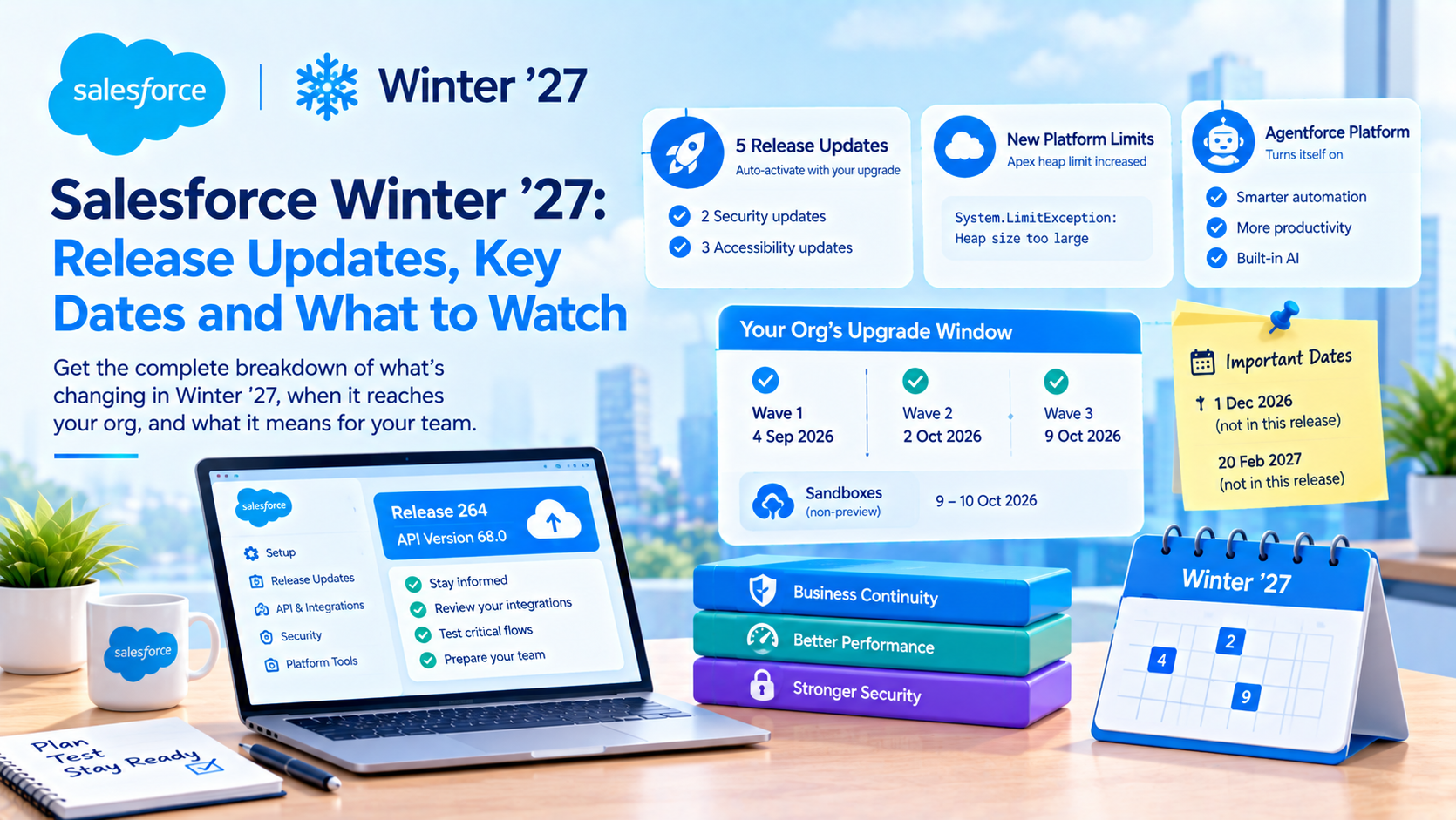
Salesforce Winter '27 reached every production org by 9 October 2026. It is release 264, API version 68.0, and it carries five release updates that activate on their own, an Apex heap limit that rises for the first time in years, and an Agentforce platform that switches itself on. The dates that will actually cost you something are 1 December 2026 and 20 February 2027, and neither of them is in this release.
That last point is the reason most Winter '27 round-ups are misleading. They list what shipped. The useful list is what enforces, when your specific org gets it, and which hard dates follow in the next five months. This post is that list, with every dated claim checked against the page that governs it rather than a summary of a summary.
Which orgs have Winter '27 already, and on exactly what date
Salesforce upgraded production instances in three waves, and its own admin blog gives them as 4 September, 2 October and 9 October 2026. Maintenance runs Friday night into Saturday, which is why several trackers render the same waves as 5 September, 3 October and 10 October. Both are describing the same windows.
Sandbox timing was separate. The refresh or create request cutoff for the preview instances was 27 August 2026, preview began 28 August, and preview instances upgraded over the 28 to 29 August weekend. Standard non-preview sandboxes upgraded on 9 to 10 October 2026. One detail in Salesforce's sandbox preview instructions catches people every cycle: "All incomplete sandboxes are reset to a non-preview instance before the sandbox preview starts." A refresh that was requested in time but had not finished lost its preview slot silently.
Here is the thing that matters more than any of those dates. None of the release updates in Winter '27 has a calendar enforcement date. They auto-activate when your instance takes its upgrade, anywhere across that 4 September to 9 October spread. Every round-up that implies a single global enforcement day is wrong, and if you are debugging a profile-name regression and your colleague in another org is not, that is why. Your instance's window is on the Salesforce Trust maintenance calendar, and that is the only authority on it.
Release 264 and API version 68.0 are two different things, and the distinction matters when you pin integrations. 264 is the release selector. 68.0 is the API version your Apex classes and REST endpoints reference. Summer '26 was 67.0.
Which release updates enforce with Winter '27, and what breaks if you ignore them
Five, not the eight that circulated in August. Two have security consequences and three are accessibility reflow changes that break custom CSS.
| Release update | What breaks | Who notices |
|---|---|---|
| Assign Use Any API Auth Permission for SOAP login() | Users without the Use Any API Auth user permission can no longer authenticate with SOAP API login() and get an error | Integration users, silently |
| Enable Profile Filtering | Users see only their own profile name unless assigned a bypass permission. Breaks approvals, reports and custom components that read profile names | Admins and report users |
| Accessibility: page headers and modal windows above 200% magnification | Reflow changes alter layout behaviour | Custom components and custom CSS |
| Accessibility: date pickers, popovers, bottom utility bars, record headers above 200% | Same | Same |
| Accessibility: cards, docked containers, menu lists, panels above 200% | Same | Same |
Profile Filtering first appeared as an optional setting in Summer '26 and enforces in Winter '27. Salesforce's release note says it "prevents users from viewing profile names other than their own unless they're assigned the View All Profiles permission", and lists Essentials through Unlimited plus Developer and Database.com, in both Lightning and Classic.
One specialist source claims there are eight bypass permissions rather than one. We could not corroborate that against Salesforce's own page, which names View All Profiles only, so treat the single-permission version as the safe one and check your own org before you grant anything broader.
The accessibility trio is the sleeper risk, and it is the one clients consistently skip because it sounds cosmetic. These three were deferred out of Summer '26 into Winter '27, and between them they change how cards, docked containers, menu lists, panels, date pickers, popovers, utility bars, record headers, page headers and modals behave at high zoom. If you have a custom component with absolute positioning or a fixed-height container, that is where it will show up. Nobody tests at 200% zoom, which is exactly why this lands in production.
Why the SOAP login() change is the one to act on this month
The SOAP login() release update looks minor. It is the staging step for something bigger, and that is what makes it worth your attention first.
Salesforce's retirement notice states that SOAP API login() in API versions 31.0 through 64.0 retires with the Summer '27 release. Versions 65.0 and later never had the operation at all, and it is disabled by default in orgs created from Winter '26 onward. Winter '27 narrows who can call it. Summer '27 removes it.
Two things to get right when you repeat this. First, the retirement is scoped to the login() operation, not to SOAP API. An org can keep using SOAP API well past Summer '27 as long as it authenticates through OAuth. Second, Salesforce's own page gives only the release name and no calendar date. Two secondary sources have invented "1 June 2027" and we would not publish it. Say "the Summer '27 release" and move on.
The failure mode is what makes this urgent rather than merely scheduled. SOAP login() lives in server-to-server traffic: nightly data loads, middleware connectors, old integration users nobody has looked at since 2019. There is no UI, so there is no error message for anyone to see. The job simply stops returning data, and you find out from a stale report two days later.
Which OAuth flow to replace it with, and what we stopped recommending
Salesforce's guidance is OAuth 2.0 JWT bearer flow or client credentials flow for server-to-server integrations, and the web server flow where a browser is involved. Both server-to-server options work. They are not equivalent in operations.
We default to JWT bearer, and the alternative we moved away from is client credentials. Client credentials is genuinely faster to stand up: a run-as user, a consumer key, a consumer secret, done in twenty minutes. The problem is the secret. It goes into the same vault as everything else, it has no natural expiry prompt, and three years later it is still there with nobody owning its rotation. JWT bearer costs you a certificate and a connected-app configuration up front, and in exchange the credential is a key with a visible expiry date that forces a rotation conversation.
We have reversed this on one kind of project. Where the integration is owned by a third-party vendor who will not install a certificate, client credentials plus a documented quarterly rotation is the honest answer, because a JWT setup the vendor cannot maintain is worse than a secret somebody at least knows exists.
What Winter '27 changed about Apex limits, and the four numbers that did not move
The Apex heap limit rose, and it is the only per-transaction governor limit that did.
- Synchronous heap: 6 MB to 10 MB
- Asynchronous heap: 12 MB to 25 MB
Everything else in that table held. SOQL queries remain 100 synchronous and 200 asynchronous. Total records retrieved by SOQL remains 50,000. DML statements remain 150. CPU time remains 10,000 ms synchronous and 60,000 ms asynchronous. If you read a post claiming Winter '27 "raised governor limits" in the plural, it raised heap, and only heap.
There is a wrinkle worth knowing about, and we checked it ourselves rather than taking it on trust. Salesforce's own Apex Governor Limits cheat sheet still printed 6 MB and 12 MB when we fetched it on 5 October 2026, after every production wave had completed. So if your architect is quoting the cheat sheet at you, they are quoting a page that has not caught up. Verify in the org instead, with Limits.getLimitHeapSize() for the ceiling and Limits.getHeapSize() for current usage.
One specialist source reports a setting named "Enforce the Summer '26 Apex heap limit" that lets a non-production org keep the old ceiling for testing. That is single-sourced and we have not confirmed it in a sandbox, so verify before you plan a test strategy around it.
Here is the limitation nobody mentions. Heap is rarely what kills a batch job. CPU time is. A 25 MB asynchronous heap lets you hold a bigger collection in memory, and holding a bigger collection in memory usually means iterating over more of it, which spends the 60,000 ms you did not get any more of. The teams who will benefit from this change are the ones deserialising large JSON payloads from a callout. The teams who hoped it would fix their nightly batch timeout are going to be disappointed.
Agentforce is now on in your org whether you asked for it or not
This is the most consequential admin-facing change in Winter '27, and it was absent from most of the preview coverage.
The Agentforce platform is now enabled by default. The release-note wording, as quoted by specialist sources, is that "the Agentforce platform is enabled by default for all orgs with Agentforce access, as granted by SKUs, licensing, and editions." In scope: Lightning Experience orgs running Foundations on Enterprise, Performance, Unlimited and Developer, plus orgs on Agentforce 1 Edition. Professional and Essentials are out of scope. The rollout began in the first week of September 2026 on a rolling basis, having originally been planned for August.
A caveat on sourcing, because this is the claim in this post with the most riding on it. Salesforce's own FAQ page on automatic enablement exists but did not render usable content on repeated fetches, and the release-note quotation above reached us through specialist coverage rather than directly. Two independent sources agree on the substance and the edition list. We are attributing it rather than asserting it, and you should confirm against your own org's Setup before you brief anyone.
Three things follow from it, and they are easy to get wrong in both directions.
Turning the platform on does not turn an agent on. The distinction is explicit: auto-enable enables the platform, not any agent. Nobody's customers started talking to a bot on 4 September. What changed is that the capability is provisioned, the metadata is available, and anyone with the right permission can build and activate an agent without a separate enablement step.
The org-level toggle is going away. Per the more detailed of our two sources, the Agentforce setting is removed from the Agentforce Agents page in Setup during the Winter '27 window, though not on the first day. Our other source still describes the toggle as present, which is consistent with a staged removal. Check yours.
The remaining off switch is a blunt one. Once the Agentforce toggle is gone, the org-level control is the Einstein generative AI setting under Einstein Setup, and turning that off takes other Einstein generative AI features with it. Salesforce has not published which ones. That is a legitimate criticism and worth raising with your account team rather than discovering by experiment.
We have written separately on what running Agentforce in production actually costs to monitor, which is on our blog and is the companion to this section rather than a repeat of it.
What we actually do about this on client orgs, in order: inventory which agents exist and which are active in Agentforce Builder, confirm who holds the Manage AI Agents permission and remove it from anyone who should not be building agents, and treat agent activation as a release-managed change rather than a Setup click. Deactivating a specific agent in Agentforce Builder is the targeted control. Reaching for the Einstein master switch because an agent misbehaved is how a service team loses features it was relying on.
Which Winter '27 features are worth turning on in the first fortnight
Ranked by the ratio of benefit to risk, and with status marked, because several of these are beta and should not be in a production release plan yet.
- Keep Manual Shares When Transferring Records (GA). A new setting in Sharing Settings. It is off by default and applies org-wide. If you have ever had a support escalation because transferring an account silently stripped a manual share, this is the fix. Test it in a sandbox first precisely because it is org-wide, not per-object.
- Field History Tracking for Users (GA). Up to 20 fields on the User object, switched on in User Management Settings. For any org with an audit obligation, this closes a gap that previously needed a trigger.
- Make Inline Editing in List Views More Flexible (GA). Two new UI settings: drop the page-layout dependency, and allow editing across multiple record types. Small change, large effect on a data-cleanup project.
- Complex template expressions in LWC (GA). Requires component
apiVersion66.0 or later in the.js-meta.xml. If your components are pinned lower, nothing changes for you until you raise them. - Third-party web components via
lwc:external(GA). Removes the iframe and static-resource workaround for loading an external component. This is the Winter '27 item that will quietly save a front-end developer a week. - REST API
latestversion alias (GA)./services/data/latest/sobjects/Accountnow resolves. Useful in scratch orgs and exploratory scripts. Do not use it in a production integration. Pinv68.0explicitly, becauselatestmeans your integration's behaviour changes three times a year without a deployment. - Flow Test Mode (Beta, opt-in). Debug record-triggered and autolaunched flows, save reusable test scenarios, and mock the outputs of Action and Subflow elements. The mocking is the part that matters, because it is what has made flow testing impractical until now. It is beta, so treat it as a sandbox tool.
FORMULA()in SOQL WHERE clauses (Beta). Sandbox, Developer Edition and scratch orgs only, API 68.0 and later. Not available in production. Worth knowing exists so you do not design around it prematurely.
Two items we have seen attributed to Winter '27 that we are not repeating. "Apex triggers always run in system mode" appears on a page indexed under release 262, which is Summer '26, not 264, and it is absent from every Winter '27 developer round-up we read. The Order Management tax calculation release update appears in exactly one preview article and in none of the lists compiled after mid-September. If either of those is load-bearing for your plan, confirm it on a 264 page before you act.
The dates that matter between now and March 2027
This is the table to put in front of whoever owns your release calendar. The confidence column is not padding: two of these rows are not safe to plan against.
| Date | What happens | Evidence |
|---|---|---|
| 9 to 10 Oct 2026 | Standard non-preview sandboxes upgrade to Winter '27 | Salesforce help article, primary |
| 1 Dec 2026 | Maintain Your Email Verification Exception enforces. The Support-case method of disabling email change verification is withdrawn and legacy Support-configured settings are automatically removed | Salesforce help article, primary |
| 30 Nov or 1 Dec 2026 | Restrict the OAuth 2.0 Device Flow to Local External Client Apps. Device flow limited to localhost callbacks | Two secondary sources, disagreeing on the day |
| 15 Dec 2026 | Standard-volume platform events retire, publishing and subscribing stop working | Two secondary sources, no primary found. Verify before planning |
| 8 Jan 2027 | Expected sandbox refresh deadline for Spring '27 preview | Unconfirmed. No source states it |
| 16 Jan, 6 Feb, 20 Feb 2027 | Spring '27 production waves | Aggregators only. Confirm on Trust |
| 20 Feb 2027 | OAuth 2.0 username-password flow for connected apps retires. Postponed out of Winter '27 | Three secondary sources, well corroborated |
| Summer '27 release | SOAP API login() retires for API versions 31.0 through 64.0 | Salesforce help article, primary, release name only, no date |
Two observations on that table that are worth more than the rows themselves.
1 December 2026 is the one with real teeth. Salesforce's article on email change verification states that "On December 1, 2026, the legacy settings previously configured by Support will be automatically removed", and that logging a case to disable email change verification "will no longer be available as of December 1, 2026". Winter '27 gives admins the replacement: Authorized Email Domains in Setup, with domain ownership proved through an active DKIM key or a DNS-verified entry. Every domain and subdomain needs its own entry. If you ignore it, every changed email address fires a verification email with a time-limited link and the change stays pending until somebody clicks it. The project where that hurts is a domain migration or a bulk user update, which is exactly the kind of work that gets scheduled for December.
20 February 2027 is a bad weekend. The OAuth username-password retirement lands on the same weekend as the Spring '27 third production wave. If an integration breaks that Monday, you will not immediately know whether you are looking at an auth retirement or a release regression. Move the auth work to January.
One update we deliberately give no date for. "Update Instanced URLs in API Traffic" has been rescheduled at least three times, and the sources genuinely conflict: Salesforce's own Enhanced Domains FAQ still says enforcement happens "on a rolling basis in production orgs shortly after Winter '27 deployment", while two specialist trackers say it moved to Spring '27. The practical answer does not depend on resolving that: find every call site still using an naXXX.salesforce.com style instanced URL and fix it now, because the work is the same whichever date wins.
What we do in the two weeks after a client org upgrades
- Pull the Release Updates page in Setup and screenshot it. Note which items show as due soon or overdue. This is the only org-specific view of what has activated, and it is the document you will want when something breaks in November.
- Run a report of integration users and check each one for the Use Any API Auth permission. Any that authenticate with SOAP login() and lack it are already failing. They will not have told you.
- Search metadata for profile names. Grep Apex, flows, validation rules, email templates and custom components for
Profile.Nameand for hardcoded profile strings. Profile Filtering breaks these for users without the bypass. - Test two or three custom components at 200% browser zoom. Fifteen minutes. This is the single highest-value test in the list because nobody else will do it.
- Open Agentforce Builder and list every agent with its active status, then check who holds Manage AI Agents. Do this before anyone asks whether Agentforce is on.
- Confirm your Authorized Email Domains configuration and your DKIM key status, and put 1 December 2026 in the calendar with a named owner.
- Re-run your largest batch job in a sandbox on the new heap ceiling and record the CPU time rather than the heap. If it was timing out before, it will still time out.
Frequently Asked Questions
What API version is Salesforce Winter '27?
Winter '27 is API version 68.0, and release 264. Those are two separate identifiers: 264 is the release selector you see in the release notes and in sandbox preview, while 68.0 is the version you reference in Apex class settings, REST endpoints and .js-meta.xml files. Summer '26 was API version 67.0. Pin the version explicitly in production integrations rather than relying on an alias.
Has every Salesforce org been upgraded to Winter '27 yet?
Yes. Salesforce upgraded production instances in three waves on 4 September, 2 October and 9 October 2026, and standard non-preview sandboxes on 9 to 10 October. Because release updates activate with each instance's own upgrade rather than on a shared date, two orgs could have had different behaviour for over a month. Your instance's exact window is on the Salesforce Trust maintenance calendar.
Did Salesforce turn Agentforce on automatically?
The Agentforce platform is enabled by default on Enterprise, Performance, Unlimited and Developer editions running Foundations, plus Agentforce 1 Edition, rolling from early September 2026. Professional and Essentials are excluded. Enabling the platform does not activate any agent, so no customer-facing bot went live by itself. The targeted control is deactivating individual agents in Agentforce Builder and managing the Manage AI Agents permission.
Is the Apex heap limit now 10 MB or 6 MB?
Winter '27 raised synchronous heap from 6 MB to 10 MB and asynchronous heap from 12 MB to 25 MB. Salesforce's Apex Governor Limits cheat sheet still displayed the old 6 MB and 12 MB figures when we checked it on 5 October 2026, so do not treat that page as current. Confirm in your own org with Limits.getLimitHeapSize(). No other per-transaction governor limit changed.
When does the OAuth username-password flow actually stop working?
20 February 2027. It was originally scheduled to enforce in Winter '27 and was postponed. Separately, SOAP API login() retires for API versions 31.0 through 64.0 with the Summer '27 release, for which Salesforce publishes a release name and no calendar date. Both failures happen in server-to-server traffic with no user-visible error, so audit integration users rather than waiting for a complaint.
Do I need to do anything before 1 December 2026?
If your org currently has email change verification disabled through a Salesforce Support case, yes. That exemption is withdrawn on 1 December 2026 and the legacy Support-configured settings are removed automatically. Replace it by configuring Authorized Email Domains in Setup, with domain ownership proved by an active DKIM key or a DNS-verified entry, and add a separate entry for every domain and subdomain in use.
Where this usually goes wrong
The pattern we see is not that teams fail to read the release notes. It is that they read them in August, build a plan around the eight release updates that were listed then, and never revisit it after Salesforce postponed three of them and left five. Meanwhile the two changes with real operational consequences, the Agentforce platform switching itself on and the 1 December email verification cutover, were not in the August list at all.
If you want a second pair of eyes on which Winter '27 changes actually touch your org, the useful version of that is not a feature walkthrough. It is a metadata audit against the five enforced updates plus the hard dates to March 2027, with an owner against each. We do that as a fixed-scope piece of work, usually in under a week. Tell us which editions and integrations you are running and we will tell you which of the above you can safely ignore.
Have Questions or Need Assistance?
Our team of Salesforce experts is ready to help you implement the solutions discussed in this article.
Contact Us Today